
Analytics
Analytics Overview
Understand Dynamoi's campaign, Smart Link, audience, YouTube, market-response, distribution, and revenue reporting surfaces.
Dynamoi combines first-party product events with reporting from Meta, Google Ads, YouTube, Spotify, Feature.fm, and distribution data sources. Each analytics page is scoped to the active artist and exposes only the panels supported by that artist's connections, campaigns, permissions, and available data.
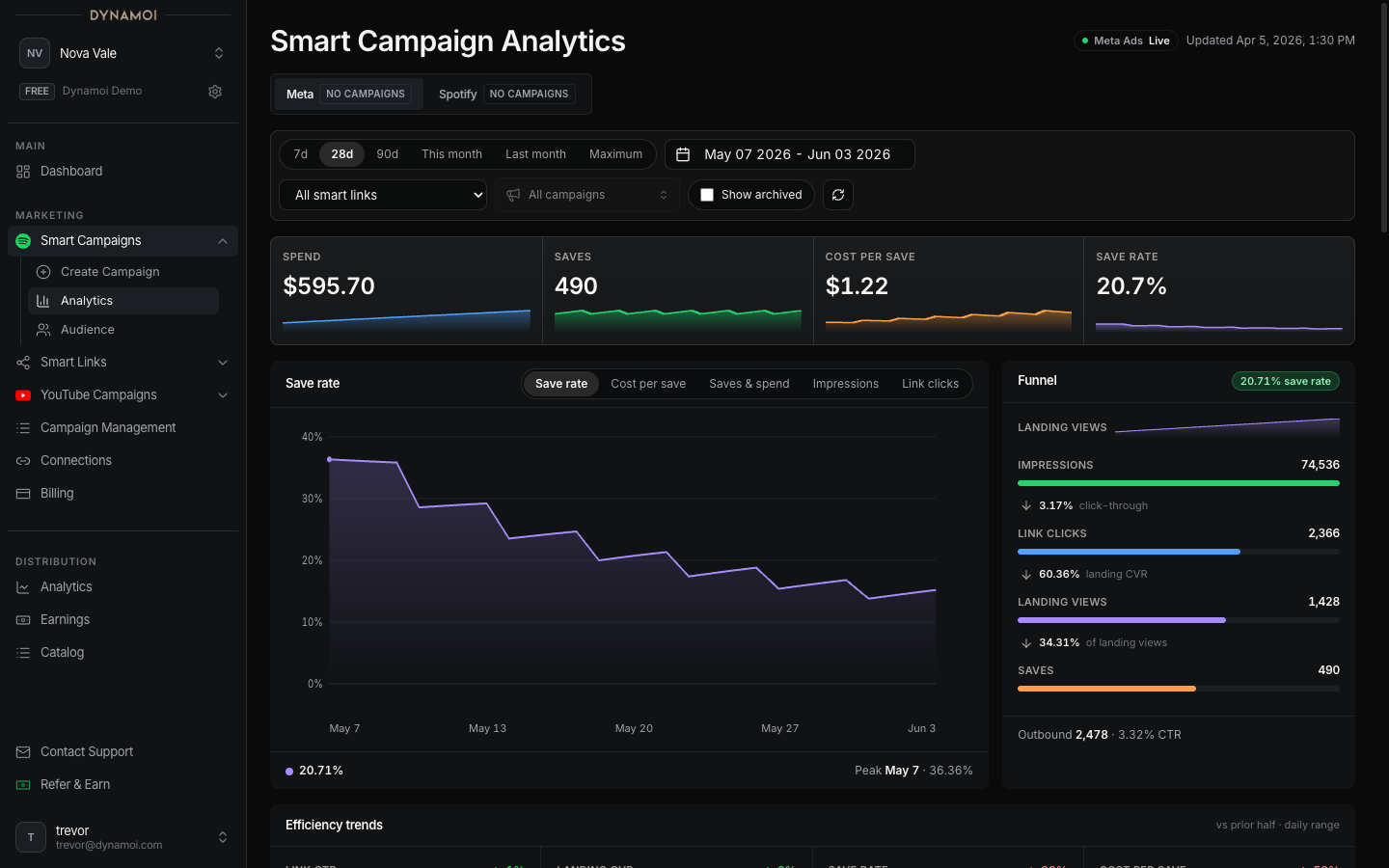
Analytics surfaces
| Page | Use it for |
|---|---|
| Smart Campaign Analytics | Meta delivery, Meta-attributed saves, Smart Link activity, creative and placement breakdowns, audience response, and eligible Spotify campaign reporting |
| YouTube Analytics | Google Ads delivery, reported follow-on YouTube actions, channel results, videos, playlists, discovery sources, and monetization data |
| Audience Insights | Audience acquisition records by date, streaming service, subscription tier, and country, with filtered CSV export |
| Market Response | Spotify listener, playlist, market, royalty, and campaign-efficiency signals by country |
| Smart Link Analytics & Settings | Page views, service clicks, share clicks, saves, video plays, click rate, themes, and measurement-pixel settings |
| Royalties | Last-12-month earnings, rankings by track, artist, country, and store, and payouts for distribution payees |
Date ranges and filters
The exact controls vary by page. Common date choices include:
- Last 7 days
- Last 28 days
- Last 90 days
- This month
- Last month
- Custom dates
- Maximum available history
Campaign pages can also expose campaign, Smart Link, video, country, provider, or archived-campaign filters. Filters change the reporting scope; they do not alter provider delivery.
Source identity and data status
Do not assume every card comes from the same system. Dynamoi labels source and freshness where it matters:
- Meta Ads supplies paid delivery and attributed conversion fields for Smart Campaigns.
- Smart Link / Feature.fm supplies first-party landing and outbound-action records when available.
- Google Ads supplies YouTube campaign delivery, spend, interactions, and converted-action signals.
- YouTube Analytics supplies channel views, watch time, discovery, playlist, country, and revenue data.
- Spotify and market-data sources supply eligible campaign and artist-market observations.
- Distribution and royalty systems supply catalog, statement, stream, and earnings data.
A page can be live, updating, partial, unavailable, or in an error state for one source while other source panels remain usable.
Reporting delay
Provider data is not real time. Recent dates can change because:
- The provider has not finalized the current day
- Attribution windows continue to assign actions after the initial ad interaction
- YouTube and AdSense arrive later than Google Ads cost
- Smart Link or market data syncs on a separate schedule
- Privacy thresholds suppress small provider rows
- A connection or report was unavailable during the last read
Use the page's observed-at, data-through, provisional-day, or source-status notice. A 7-day or 28-day trend is generally more stable than a single recent day, but a longer range is not automatically more accurate if its sources have different coverage.
Warning Dynamoi analytics are operational reporting, not a guarantee of attribution, future performance, royalties, or profit. Provider dashboards and financial statements remain authoritative for their own records.
Empty and partial states
A blank card does not always mean zero performance. It can mean:
- No campaigns or audience rows match the filters
- The selected range predates available data
- The connected account has sparse history
- A metric is unavailable for the selected strategy
- Revenue or identity data is intentionally hidden
- The provider returned incomplete or privacy-suppressed rows
- The page is waiting for its first report
Read the empty-state explanation before changing a campaign. Reset filters or choose Maximum when you need to distinguish “no data in this range” from “no history.”
Export and financial records
Where an export is available, it follows the active filters and reflects the data exposed on that surface. Exports are not automatically equivalent to Stripe invoices, YouTube revenue statements, royalty statements, or provider billing records.
For payment history and managed-advertising charges, use Invoices & Payments. For metric definitions, see Metrics Glossary.