
Campaign Management
Managing Campaigns
Use All Campaigns to review delivery, provider state, budgets, learning badges, analytics, and available lifecycle or editing actions.
Open All Campaigns from the main dashboard navigation to manage Smart Campaigns and YouTube Campaigns for the active artist.
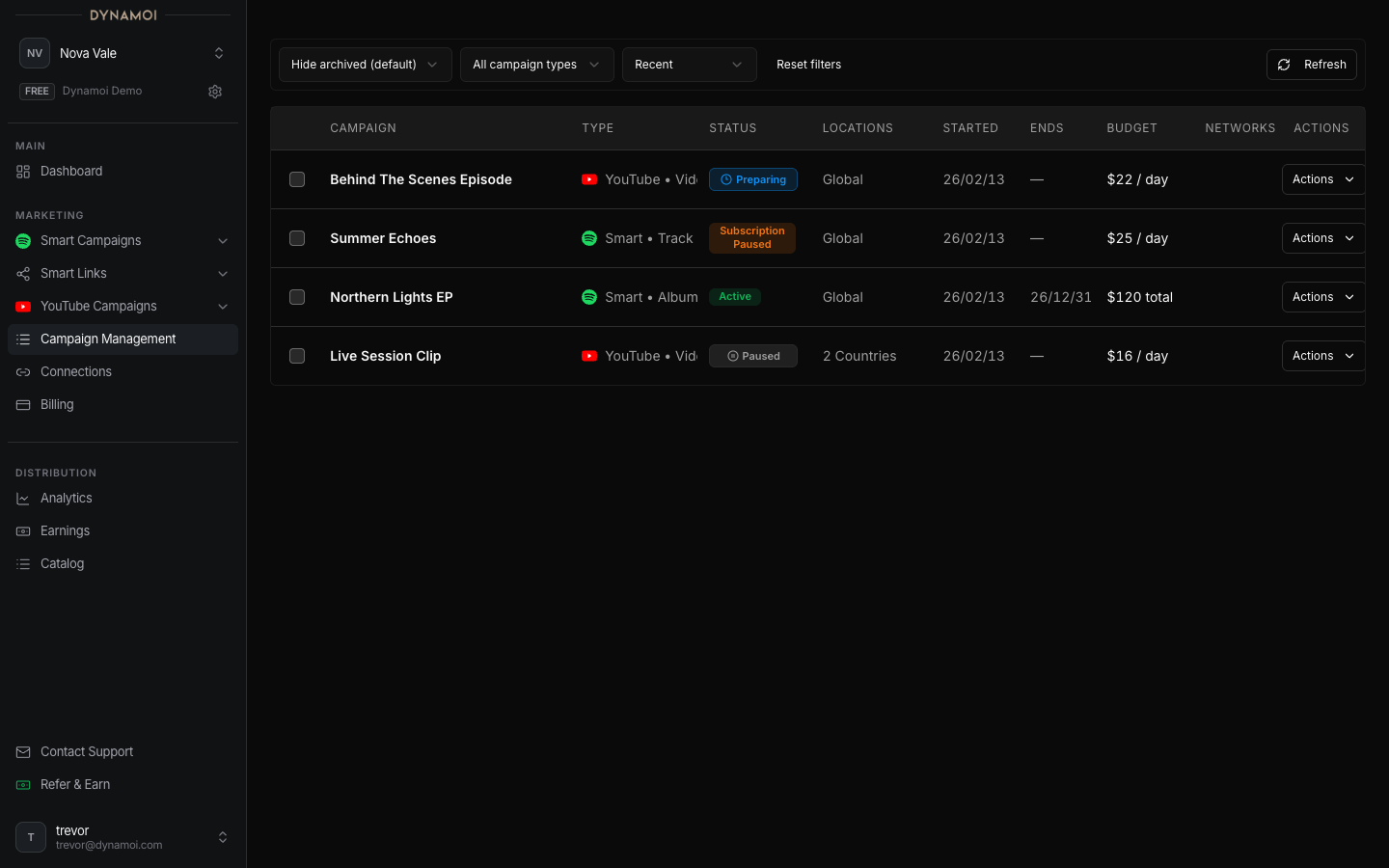
What each campaign row shows
A row can include the campaign name, campaign type, platform, budget, targeting, dates, Dynamoi status, provider-delivery detail, learning state, and analytics link. Some fields are conditional because Meta, Google, Spotify Beta, fixed-flight YouTube, and shop-linked campaigns do not expose identical controls.
User-facing statuses
| Status | Meaning |
|---|---|
| Preparing | Dynamoi is preparing required campaign or Smart Link data |
| In review / Under review | Content or a provider setup is being reviewed or processed |
| Deploying | Dynamoi is creating or reconciling provider resources |
| Active | The campaign is in an active lifecycle state; provider detail shows whether delivery is serving or still reviewing |
| Paused | Delivery is paused and can be resumed only when current permissions, billing, and provider state allow it |
| Subscription paused | Billing recovery is required before the campaign can return to Paused |
| Ended | The flight or campaign has finished |
| Archived | The campaign is hidden from the default working list but its history remains available |
| Issue | Setup, deployment, policy, or reconciliation needs attention |
Dynamoi status and provider status are separate. For example, an Active campaign can still show a provider-level Under review detail while a network processes it.
Learning badge
The Learning badge is shown for campaigns less than seven days old while their display state is Active or Deploying. It is an age-and-state indicator, not a guarantee that the provider has delivered continuously for seven days.
Available actions
The actions menu can include:
- View analytics
- Edit budget, end date, locations, optimization goals, or monetization mode when eligible
- Duplicate campaign
- Pause or resume
- Archive or unarchive
Controls are derived from campaign type, status, provider state, creation date, billing authority, fixed-flight state, shop ownership, and your role. A missing action is normally an eligibility boundary rather than a documentation error.
Note Shop-linked YouTube campaigns are analytics-only in the Dynamoi dashboard. Their delivery controls are not exposed in All Campaigns.
Provider mutations and reporting are asynchronous. After an action, allow time for the network and the Dynamoi projection to converge before repeating it.