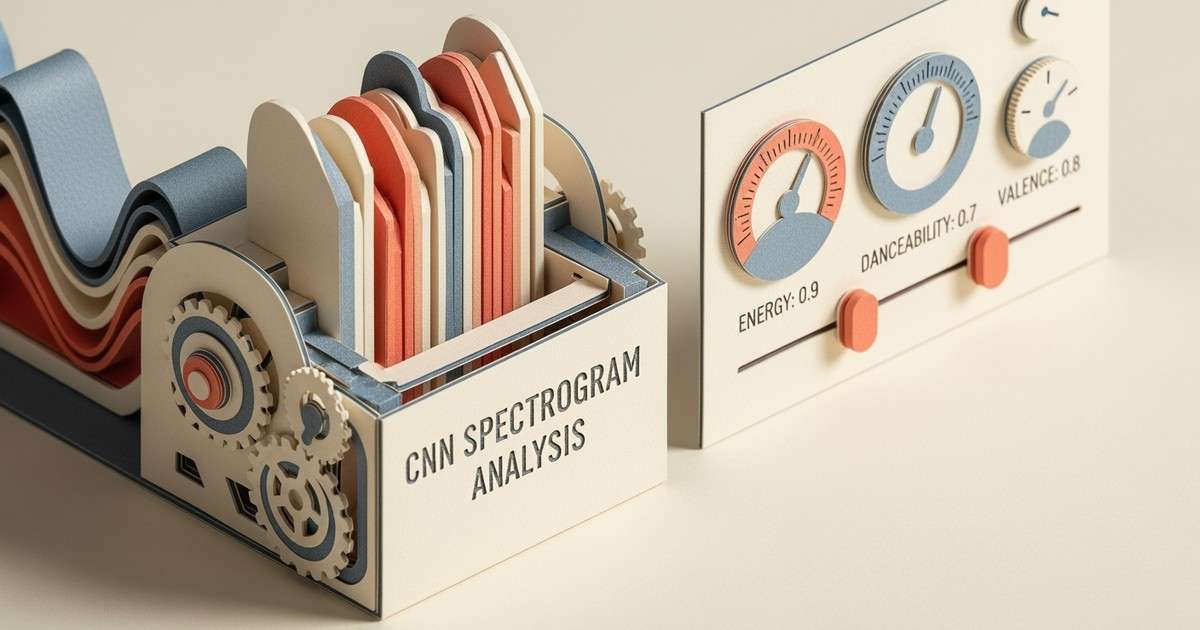
Spotify uses convolutional neural networks to extract audio features from raw waveforms. These features power Radio, Autoplay, and sonic similarity recommendations.
When Spotify needs to find tracks that sound similar to what you are listening to, it cannot rely on tags and metadata alone. It analyzes the raw audio itself.
This guide explains how Spotify extracts audio features from music files, what those features mean, and how they influence where your tracks appear in algorithmic playlists.
How audio analysis works at Spotify
When a track is uploaded to Spotify through a distributor, it goes through an automated audio analysis pipeline. The system processes the raw waveform and extracts dozens of measurable characteristics.
The core technology is convolutional neural networks (CNNs), the same type of machine learning models used for image recognition. Instead of analyzing pixels, Spotify's CNNs analyze spectrograms, which are visual representations of sound frequencies over time.
The CNN learns to detect patterns in these spectrograms: strong drum beats and synthesizers suggest electronic or dance music; mellow acoustic guitar patterns indicate folk or singer-songwriter genres; complex harmonic structures might signal jazz or classical.
The audio features Spotify extracts
Spotify's API exposes 13 audio features for every track. These are the building blocks the algorithm uses to measure sonic similarity.
Rhythm and tempo features
Feature
Definition
Range
tempo
Estimated beats per minute (BPM)
0-250
time_signature
Beats per measure (3/4, 4/4, etc.)
1-7
danceability
How suitable for dancing based on tempo, rhythm stability, beat strength
0.0-1.0
Danceability is not just tempo. A 120 BPM track with irregular rhythms scores lower than a 100 BPM track with a steady groove.
Energy and intensity features
Feature
Definition
Range
energy
Perceptual measure of intensity and activity
0.0-1.0
loudness
Overall loudness in decibels (dB)
-60 to 0 dB
Energy combines multiple signals: dynamic range, perceived loudness, timbre, onset rate (how often new sounds start), and overall entropy. Death metal scores high; a Bach prelude scores low.
Tonal features
Feature
Definition
Range
key
The tonal center of the track
0-11 (C=0, C#=1, etc.)
mode
Major (1) or minor (0)
0 or 1
These features help the algorithm group tracks with compatible harmonic structures for seamless transitions in Radio and Autoplay.
Mood and character features
Feature
Definition
Range
valence
Musical positiveness (happy vs sad)
0.0-1.0
acousticness
Confidence that the track is acoustic
0.0-1.0
instrumentalness
Predicts if the track has no vocals
0.0-1.0
speechiness
Presence of spoken words
0.0-1.0
liveness
Probability the track was performed live
0.0-1.0
Valence is particularly important for mood-based recommendations. A high-valence track (0.8+) sounds cheerful or euphoric. A low-valence track (0.2 or below) sounds sad, melancholic, or angry.
How audio features influence recommendations
Audio analysis solves the cold start problem. When a new artist uploads their first track, they have no listening history or collaborative filtering data. But the audio features are available immediately.
Here is how each algorithmic surface uses audio analysis:
Radio and Autoplay
When Radio generates a queue based on a seed track, audio similarity is the primary signal. The algorithm finds tracks with similar:
Tempo (within a reasonable range for smooth transitions)
Energy level (to maintain the session's intensity)
Key and mode (for harmonic compatibility)
Valence (to preserve the emotional tone)
This is why a Radio station seeded from a high-energy electronic track will not suddenly insert a slow acoustic ballad, even if both songs share genre tags.
Discover Weekly
Discover Weekly primarily uses collaborative filtering, but audio analysis acts as a tiebreaker. When multiple candidate tracks have similar listening overlap scores, the algorithm favors those with audio features closest to your existing taste profile.
Daylist
Daylist uses audio features to match energy levels to time of day. High-energy tracks cluster in workout playlists; low-energy, high-acousticness tracks appear in evening wind-down mixes.
How-to Guide
•
Updated
How Spotify Audio Analysis Works
Spotify uses convolutional neural networks to extract audio features from raw waveforms. These features power Radio, Autoplay, and sonic similarity recommendations.
When Spotify needs to find tracks that sound similar to what you are listening to, it cannot rely on tags and metadata alone. It analyzes the raw audio itself.
This guide explains how Spotify extracts audio features from music files, what those features mean, and how they influence where your tracks appear in algorithmic playlists.
How audio analysis works at Spotify
When a track is uploaded to Spotify through a distributor, it goes through an automated audio analysis pipeline. The system processes the raw waveform and extracts dozens of measurable characteristics.
The core technology is convolutional neural networks (CNNs), the same type of machine learning models used for image recognition. Instead of analyzing pixels, Spotify's CNNs analyze spectrograms, which are visual representations of sound frequencies over time.
The CNN learns to detect patterns in these spectrograms: strong drum beats and synthesizers suggest electronic or dance music; mellow acoustic guitar patterns indicate folk or singer-songwriter genres; complex harmonic structures might signal jazz or classical.
The audio features Spotify extracts
Spotify's API exposes 13 audio features for every track. These are the building blocks the algorithm uses to measure sonic similarity.
Rhythm and tempo features
Feature
Definition
Range
tempo
Estimated beats per minute (BPM)
0-250
time_signature
Beats per measure (3/4, 4/4, etc.)
1-7
danceability
How suitable for dancing based on tempo, rhythm stability, beat strength
0.0-1.0
Danceability is not just tempo. A 120 BPM track with irregular rhythms scores lower than a 100 BPM track with a steady groove.
Energy and intensity features
Feature
Definition
Range
energy
Perceptual measure of intensity and activity
0.0-1.0
loudness
Overall loudness in decibels (dB)
-60 to 0 dB
Energy combines multiple signals: dynamic range, perceived loudness, timbre, onset rate (how often new sounds start), and overall entropy. Death metal scores high; a Bach prelude scores low.
Tonal features
Feature
Definition
Range
key
The tonal center of the track
0-11 (C=0, C#=1, etc.)
mode
Major (1) or minor (0)
0 or 1
These features help the algorithm group tracks with compatible harmonic structures for seamless transitions in Radio and Autoplay.
Mood and character features
Feature
Definition
Range
valence
Musical positiveness (happy vs sad)
0.0-1.0
acousticness
Confidence that the track is acoustic
0.0-1.0
instrumentalness
Predicts if the track has no vocals
0.0-1.0
speechiness
Presence of spoken words
0.0-1.0
liveness
Probability the track was performed live
0.0-1.0
Valence is particularly important for mood-based recommendations. A high-valence track (0.8+) sounds cheerful or euphoric. A low-valence track (0.2 or below) sounds sad, melancholic, or angry.
How audio features influence recommendations
Audio analysis solves the cold start problem. When a new artist uploads their first track, they have no listening history or collaborative filtering data. But the audio features are available immediately.
Here is how each algorithmic surface uses audio analysis:
Radio and Autoplay
When Radio generates a queue based on a seed track, audio similarity is the primary signal. The algorithm finds tracks with similar:
Tempo (within a reasonable range for smooth transitions)
Energy level (to maintain the session's intensity)
Key and mode (for harmonic compatibility)
Valence (to preserve the emotional tone)
This is why a Radio station seeded from a high-energy electronic track will not suddenly insert a slow acoustic ballad, even if both songs share genre tags.
Discover Weekly
Discover Weekly primarily uses collaborative filtering, but audio analysis acts as a tiebreaker. When multiple candidate tracks have similar listening overlap scores, the algorithm favors those with audio features closest to your existing taste profile.
Daylist
Daylist uses audio features to match energy levels to time of day. High-energy tracks cluster in workout playlists; low-energy, high-acousticness tracks appear in evening wind-down mixes.
What artists can learn from audio features
You cannot directly control how Spotify analyzes your audio, but understanding these features helps you interpret how the algorithm perceives your music.
Checking your track's audio features
Third-party tools can pull your track's audio features from Spotify's API. Look for services that let you enter a Spotify track URL and return the feature values.
What to look for:
Consistent features across your catalog help the algorithm cluster your music. If your tracks vary wildly in energy, tempo, and valence, the algorithm has a harder time predicting who will enjoy them.
Features that match your target audience improve Radio placement. If your sound is high-energy and danceable, your tracks are more likely to appear in workout and party-oriented Radio sessions.
The intro problem
Audio analysis examines the full track, but listener behavior is heavily influenced by the first 30 seconds. If your intro has different characteristics than the rest of the song (a quiet ambient intro before a loud drop), the audio features may not reflect what listeners experience first.
This can create a mismatch: the algorithm recommends your track based on overall energy, but listeners skip because the intro does not match their expectations. Optimizing your intro is a separate skill from optimizing your overall audio profile.
Limitations of audio analysis
Audio analysis is powerful, but it has blind spots:
Cultural context is missing. The algorithm knows your track has high energy and a 128 BPM tempo, but it does not know that the lyrics reference a specific cultural moment or that the production style evokes a particular era.
Similar sounds are not the same as similar audiences. Two tracks can have nearly identical audio features but appeal to completely different listeners. Audio analysis finds sonic neighbors, not audience neighbors.
Genre is inferred, not declared. Spotify uses your distributor-provided genre tags, but audio analysis can override them if the sonic characteristics do not match. A track tagged as "hip-hop" that sounds like acoustic folk may get recommended to folk listeners instead.
The role of audio in the broader algorithm
Audio analysis is one of three main data sources the Spotify algorithm uses:
Data source
What it captures
Best for
Collaborative filtering
Listening patterns across users
Finding audience overlap
Natural language processing
Lyrics, playlist titles, web mentions
Understanding cultural context
Audio analysis
Sonic characteristics of the waveform
Finding sonically similar tracks
For established artists, collaborative filtering dominates. For new artists, audio analysis carries more weight because there is no listening history to analyze.
The goal is to release music with clear, consistent audio characteristics while building an engaged listener base. Audio analysis gets you discovered; engagement signals determine whether you keep getting recommended.
What artists can learn from audio features
You cannot directly control how Spotify analyzes your audio, but understanding these features helps you interpret how the algorithm perceives your music.
Checking your track's audio features
Third-party tools can pull your track's audio features from Spotify's API. Look for services that let you enter a Spotify track URL and return the feature values.
What to look for:
Consistent features across your catalog help the algorithm cluster your music. If your tracks vary wildly in energy, tempo, and valence, the algorithm has a harder time predicting who will enjoy them.
Features that match your target audience improve Radio placement. If your sound is high-energy and danceable, your tracks are more likely to appear in workout and party-oriented Radio sessions.
The intro problem
Audio analysis examines the full track, but listener behavior is heavily influenced by the first 30 seconds. If your intro has different characteristics than the rest of the song (a quiet ambient intro before a loud drop), the audio features may not reflect what listeners experience first.
This can create a mismatch: the algorithm recommends your track based on overall energy, but listeners skip because the intro does not match their expectations. Optimizing your intro is a separate skill from optimizing your overall audio profile.
Limitations of audio analysis
Audio analysis is powerful, but it has blind spots:
Cultural context is missing. The algorithm knows your track has high energy and a 128 BPM tempo, but it does not know that the lyrics reference a specific cultural moment or that the production style evokes a particular era.
Similar sounds are not the same as similar audiences. Two tracks can have nearly identical audio features but appeal to completely different listeners. Audio analysis finds sonic neighbors, not audience neighbors.
Genre is inferred, not declared. Spotify uses your distributor-provided genre tags, but audio analysis can override them if the sonic characteristics do not match. A track tagged as "hip-hop" that sounds like acoustic folk may get recommended to folk listeners instead.
The role of audio in the broader algorithm
Audio analysis is one of three main data sources the Spotify algorithm uses:
Data source
What it captures
Best for
Collaborative filtering
Listening patterns across users
Finding audience overlap
Natural language processing
Lyrics, playlist titles, web mentions
Understanding cultural context
Audio analysis
Sonic characteristics of the waveform
Finding sonically similar tracks
For established artists, collaborative filtering dominates. For new artists, audio analysis carries more weight because there is no listening history to analyze.
The goal is to release music with clear, consistent audio characteristics while building an engaged listener base. Audio analysis gets you discovered; engagement signals determine whether you keep getting recommended.