
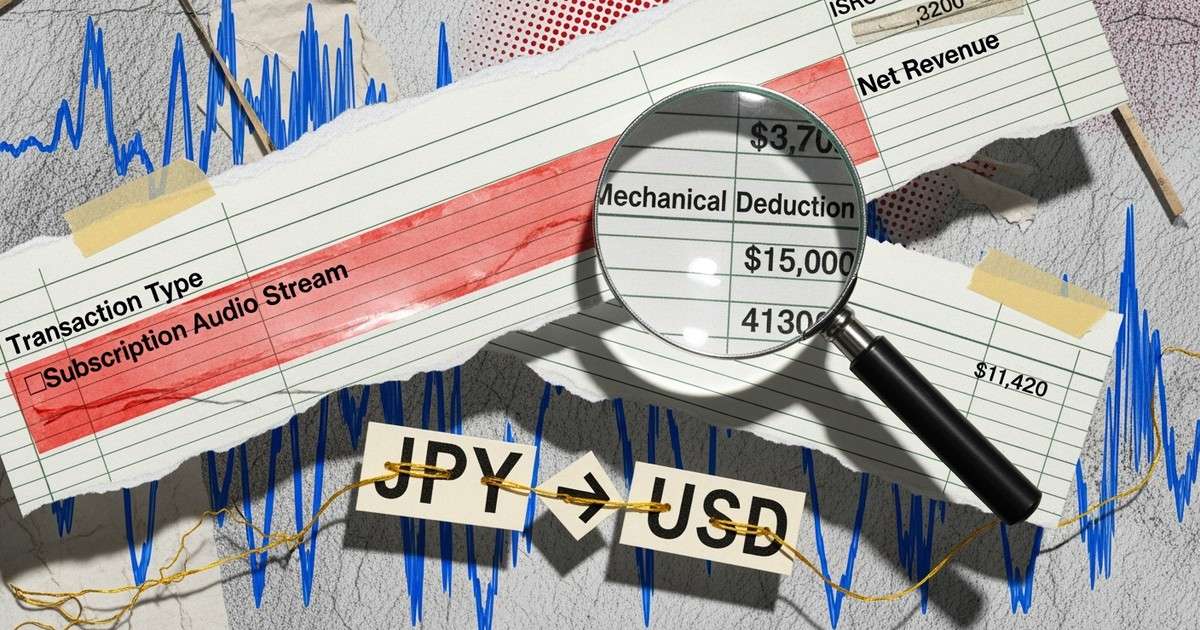
Why Statements Are Confusing
Royalty statements aren't designed for readability. They're accounting documents that aggregate thousands of micro-transactions across dozens of platforms, multiple currencies, various transaction types, and different reporting periods.
Most distributors offer simplified dashboards that show headline numbers. But to verify accuracy, understand deductions, or investigate discrepancies, you need to read the underlying statement.
This guide walks through the key fields and what they mean.
Statement Structure Overview
A typical royalty statement row includes:
| Field | What It Contains |
|---|---|
| Period | Reporting month or quarter |
| Store/Platform | Where the stream occurred (Spotify, Apple, etc.) |
| Territory/Country | Listener location |
| Transaction Type | How the stream was monetized |
| Track/Product | ISRC, track name, album |
| Quantity | Number of streams or downloads |
| Gross Revenue | Amount before distributor fees |
| Net Revenue | Amount after fees (what you receive) |
| Currency | Usually converted to your payout currency |
Some distributors include additional fields for label/imprint, UPC, artist name, and mechanical deduction details.
Transaction Types Explained
The "transaction type" field tells you how the revenue was generated. Common types:
Subscription Audio Streams. Standard paid-tier streaming on Spotify Premium, Apple Music, Amazon Unlimited, etc. These generate the highest per-stream rates.
Ad-Supported Audio Streams. Free-tier streaming monetized through ads. Pays roughly 1/3 of subscription rates.
Mid-Tier Subscription Audio Streams. Cheaper subscription tiers (Spotify Duo, family plan shares, student discounts). Pays between full subscription and ad-supported rates.
Non-Interactive Radio. Pandora, SiriusXM, iHeartRadio. Listeners don't choose specific tracks. Pays at statutory rates, typically lower than on-demand streaming.
Download Tracks. Purchased individual tracks from iTunes, Amazon, etc. Pays a fixed rate (usually $0.60-0.90 per download after store cut).
Short-Form Video UGC. TikTok, Instagram Reels, YouTube Shorts. Pays nearly nothing per use - these are promotional, not revenue sources.
Fitness Subscription Audio Streams. Peloton, Mirror, workout apps. Higher rates due to licensing premiums.
Streaming Bonus. Supplemental payments from platform programs, settlements, or retroactive adjustments.
Unqualified Audio Streams. Streams that didn't meet minimum thresholds (too short, suspected fraud, etc.). May show zero revenue.
Reading Currency Conversions
Streaming revenue is generated in local currencies and converted for your payout. Statements typically show:
- Sale Currency: Original currency (GBP, EUR, JPY, etc.)
- Exchange Rate: Conversion rate applied
- Account Currency: Your payout currency (usually USD)
- Gross in Account Currency: Converted amount
Exchange rates are applied when statements are generated, not when streams occur. A stream from March might be reported in June with June exchange rates. This creates small variations that average out over time.
If you see unusual amounts for specific territories, check whether currency movements explain the variance before assuming reporting errors.
Mechanical Deductions
Some statements show mechanical royalty deductions. This is confusing but important to understand.
In certain contexts, distributors deduct a portion of gross revenue for mechanical royalties - the songwriter/publisher share of streaming revenue. This typically appears when:
- You're distributing to territories with compulsory mechanical licensing
- The distributor handles publishing administration as a bundled service
- Specific platform agreements require mechanical carve-outs
If you see a "mechanical deduction" or "publishing admin fee" line, verify whether:
- You opted into publishing services (CD Baby Pro, TuneCore Publishing, etc.)
- The deduction is being paid somewhere else (to your publisher, to you separately)
- This is a legitimate carve-out vs. an error
Mechanical deductions should typically be 15-20% of gross revenue at most. Larger deductions warrant investigation.
Verifying Statement Accuracy
Spot-check statements against your streaming analytics:
Compare stream counts. Spotify for Artists shows plays by month. Your statement should roughly match, allowing for reporting lag (statements often lag real-time data by 2-3 months).
Calculate effective RPM. Divide revenue by streams (times 1,000) for each platform. If Spotify shows $1.50 RPM when industry averages are $3-4, investigate.
Check geographic patterns. If your analytics show 50% US listeners but statements show 20% US revenue, something may be miscoded.
Track release-by-release. New releases should appear in statements within 2-3 months of going live. Missing tracks suggest delivery or reporting issues.
Common issues that cause discrepancies:
- Reporting lag (normal: 2-3 month delay)
- ISRC mismatches (streams credited to wrong track)
- Territory misclassification
- Unqualified stream filtering (short plays, fraud flags)
Reading Aggregated vs. Detailed Statements
Some distributors offer both summary views and detailed transaction logs.
Summary statements aggregate by platform, month, and track. Good for quick overview, but hide granular issues.
Detailed statements show every transaction. Essential for auditing but can be thousands of rows for active catalogs. Export to spreadsheet and use filtering/pivot tables.
Key questions detailed statements can answer:
- Which specific territories drive revenue?
- What percentage of streams are ad-supported vs. subscription?
- Are any tracks consistently underperforming expectations?
- Are there fraud flags or clawbacks appearing?
Statement Timing
Royalty statements aren't real-time. The typical flow:
- Stream occurs (Month 0)
- Platform reports to distributor (Month 1-2)
- Distributor processes and generates statement (Month 2-3)
- Payment issued (Month 3-4)
A stream in January might not appear in your statement until March-April and not pay until April-May. This lag is normal, not suspicious.
Some distributors offer faster reporting cycles, but the underlying platform reporting lag remains.
When to Contact Support
Reach out to your distributor if you notice:
- Missing releases (track went live but never appears in statements)
- Dramatic RPM variance (platform paying 50%+ below expected rates)
- Unexplained clawbacks or fraud deductions
- Currency conversion errors (wrong rate applied)
- Persistent discrepancies between analytics and statements
Document specific transactions, dates, and amounts before contacting support. Vague complaints ("my numbers seem low") get vague responses.
Building Good Habits
Check statements monthly, not annually. Small issues compound. A miscoded ISRC might lose you 6 months of revenue before you notice if you only review quarterly.
Keep a simple tracking spreadsheet: month, total revenue, total streams, effective RPM. Trend lines reveal problems faster than individual statement reviews.
Archive raw statements. Distributors sometimes change formats or lose historical data. Having your own records protects you in disputes.
Understand that statements will never be perfectly clean. Micro-variations are normal. Focus on patterns and significant discrepancies, not single-transaction noise.