
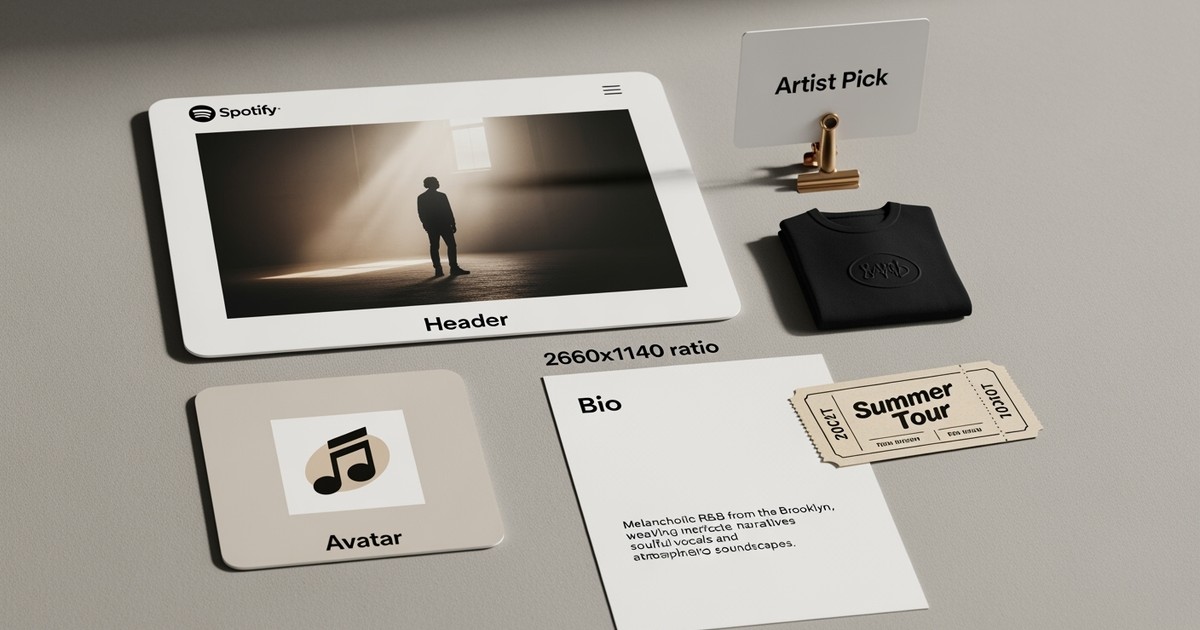
Your Spotify artist profile isn't just a business card. It's the product page for your entire catalog. It quietly decides whether the listeners the algorithm sends you become long-term fans or ghost traffic.
This checklist focuses on one job: converting listeners into savers, followers, and buyers. The deeper mechanics of how these actions feed the system are covered in the Spotify algorithm pillar and our full optimization guide.
Here, the goal is a fast, rigorous audit you can run every release cycle.
The Test: If a cold listener cannot tell what kind of artist you are within one swipe of your profile, the conversion job is not done.
Step 1. Clean up your foundations
A profile cannot convert well if the fundamentals are messy. Start with identity and catalog hygiene.
- Identity: Check that your artist name is consistent across Spotify, other DSPs, and social profiles. Merge duplicate profiles or correct errors via your distributor or Spotify support immediately.
- Credits: Ensure
Primary ArtistandFeatured Artistroles are correct. Your main project should be thePrimary Artiston your core catalog. - Hygiene: Remove any low-quality releases uploaded during experiments with bots or "guaranteed stream" providers. These plays distort your data and drag down performance. (See our fraud and bots guide if this sounds familiar.)
Step 2. Use Artist Pick to guide first clicks
Most new listeners don't scroll. They see your header, avatar, top tracks, and Artist Pick. That slot is your best chance to direct traffic.
Treat Artist Pick as campaign creative, not decoration. Change it when the story changes:
- New Single: Pin the track or a short "Start Here" playlist opening with the new single, followed by 3-4 signature tracks.
- Album/EP: Highlight the full project.
- Tour: Temporarily pin your biggest upcoming show or a link to your tour page (if using a ticketing partner).
- Pre-Release: If eligible, use a
Countdown Pageas your pick to drive pre-saves.
Step 3. Rewrite your bio for search and conversion
Most bios are written quickly to fill a blank field. A strong Spotify bio does two things: it tells fans who you are, and it helps Spotify’s search and recommendation tools understand where you belong.
Aim for two short paragraphs and one punchy single line for press/screenshots.
Bio Essentials:
| Element | Example | Why it works |
|---|---|---|
| Genre/Sub-genre | "Melancholic alternative R&B with drill influences" | More specific than "genre-bending artist." |
| Location/Scene | "South London jazz underground" or "Mexico City club circuit" | Grounds you in a real-world community. |
| Mood/Themes | "Late night," "political," "instrumental study music" | Uses words listeners actually search for. |
| References | "For fans of early Weeknd and SZA" | Gives instant context to new listeners. |
Don't: Stuff keywords or hashtags. Do: End with a line about current activity (e.g., "New album X out now," or "Touring UK this fall").
Step 4. Fix your images for mobile
Images carry brand, genre, and professionalism in a single glance. Since most listening happens on phones, optimize for small screens.
| Asset | Specs | Guidance |
|---|---|---|
| Avatar | 750 x 750 px (Square) | Clear face or logo. No tiny text. Needs to look good as a small circle. |
| Header | 2660 x 1140 px (Wide) | Keep key content in the central third. Edges often get cropped on mobile. |
| Gallery | 3–8 photos | Show live context, studio moments, or strong styling. No random selfies. |
The Mobile Test: Open your profile on a phone. Does the image palette clash with your latest album art? If yes, update the header or playlist covers so the visual system hangs together.
Step 5. Turn listeners into buyers (Merch & Tour)
Streaming pays fractions; merch and tickets pay rent. Your profile lets fans buy while they are already listening.
- Merch: Connect your Shopify store via the
Merchtab inSpotify for Artists. Feature 2-3 items relevant to the release (e.g., vinyl, tour tee). - Tour: Connect a partner like Bandsintown. This ensures shows appear in the
On Toursection and in Spotify's live events feed automatically.
Even if your following is modest, a clean merch/tour setup signals seriousness and gives superfans a way to support you.
Step 6. Wire your profile into your promotion
A good profile multiplies the impact of paid traffic. A bad one wastes it.
Before launching Meta or YouTube ads:
- Align Entry Points: Ensure your ads drive to a destination (playlist, smart link) that is clearly visible on your profile.
- Match Creative: Your
bio, avatar, and header should match the visual story in your ads. - Layer Tools: If eligible, use
Campaign Kittools (Marquee, Showcase) to drive traffic to a profile that is already optimized.
Step 7. Social links and platform connections
The Social Links section is small but powerful. It provides official verification that this Instagram or TikTok account belongs to this artist.
- Link only your active, official channels (Instagram, TikTok, YouTube).
- Ensure display names match your artist name.
- Update these immediately if you rebrand or change handles. Dead links kill momentum.
Quick Audit Checklist
Run this before every major release:
- Credits:
PrimaryvsFeaturedroles correct on all tracks? - Artist Pick: Is it active and aligned with the current goal (Single/Tour/Project)?
- Bio: Does it mention genre, location, and current activity?
- Visuals: Do header/avatar match current branding and look good on mobile?
- Merch/Tour: Are Shopify/Bandsintown connected and displaying items?
- Socials: Are links active and correct?
- Promotion: Is the profile ready to receive ad traffic?
Work through this list once per cycle. It turns your profile from a static page into a dynamic growth asset.