
Onboarding Guide
Learn how to set up your organization and artist profile on Dynamoi to start promoting your music.
Learn how to set up your organization and artist profile on Dynamoi to start promoting your music.
Learn how to set up your organization and artist profile on Dynamoi to start promoting your music.
Create your organization and first artist, then pick a campaign type and connect the required platforms.
When you first sign in, you'll be prompted to create your brand. This involves setting up both your organization and your artist identity.
Your organization name represents your label, management company, or business entity. This is used for grouping multiple artists under one umbrella.
If you're an independent artist, you can use your own name or a simple identifier like "Artist Name Music."
Your brand name is your artist, YouTube channel, or project name. This is what will appear on campaigns and in your dashboard. Each brand has its own billing and platform connections.
Click Submit to create your brand. This will set up your dashboard and prepare your account for campaigns.
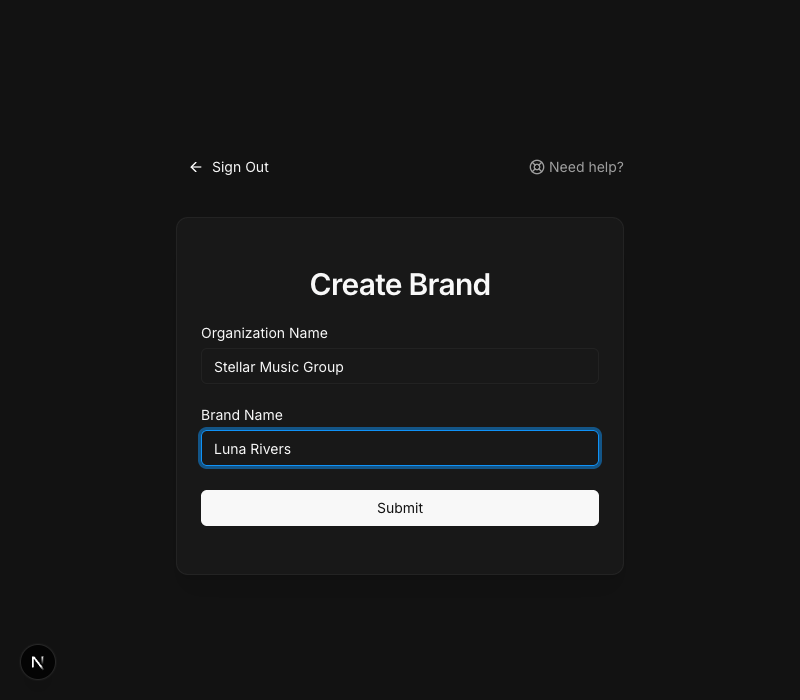
Choose an organization name that matches your legal business entity if you have one. You can add multiple artists under the same organization later.
After creating your brand, you'll choose your primary marketing focus. This determines which platforms you'll need to connect.
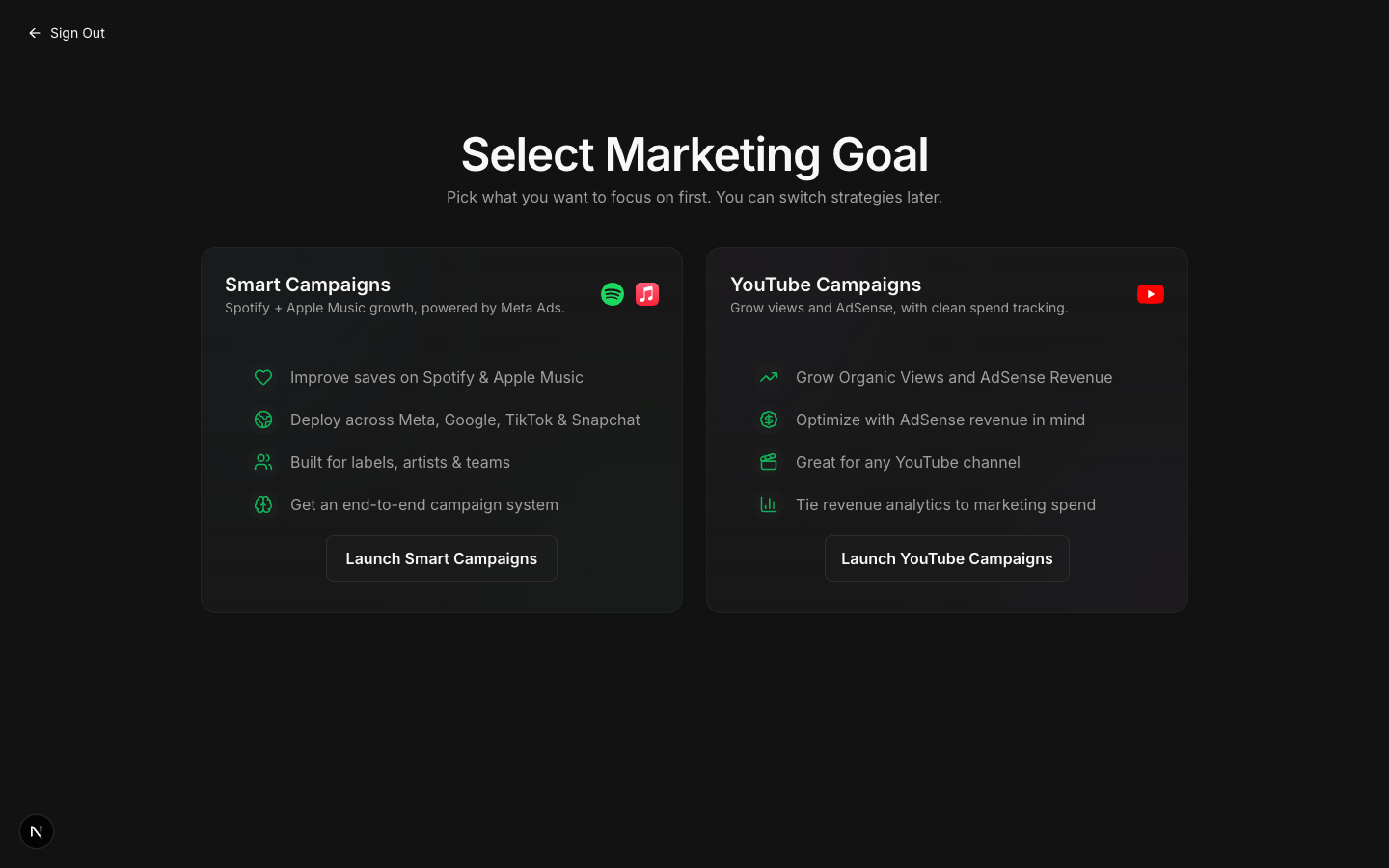
Smart Campaigns are designed for Spotify and Apple Music growth, powered by Meta Ads.
Required connections: Spotify for Artists, Meta (Facebook/Instagram), Billing
You can switch between campaign types at any time using the toggle at the top of your dashboard.
Once you've completed brand creation and selected a marketing goal, you'll land on your dashboard with a setup checklist. The checklist items depend on which marketing goal you selected.
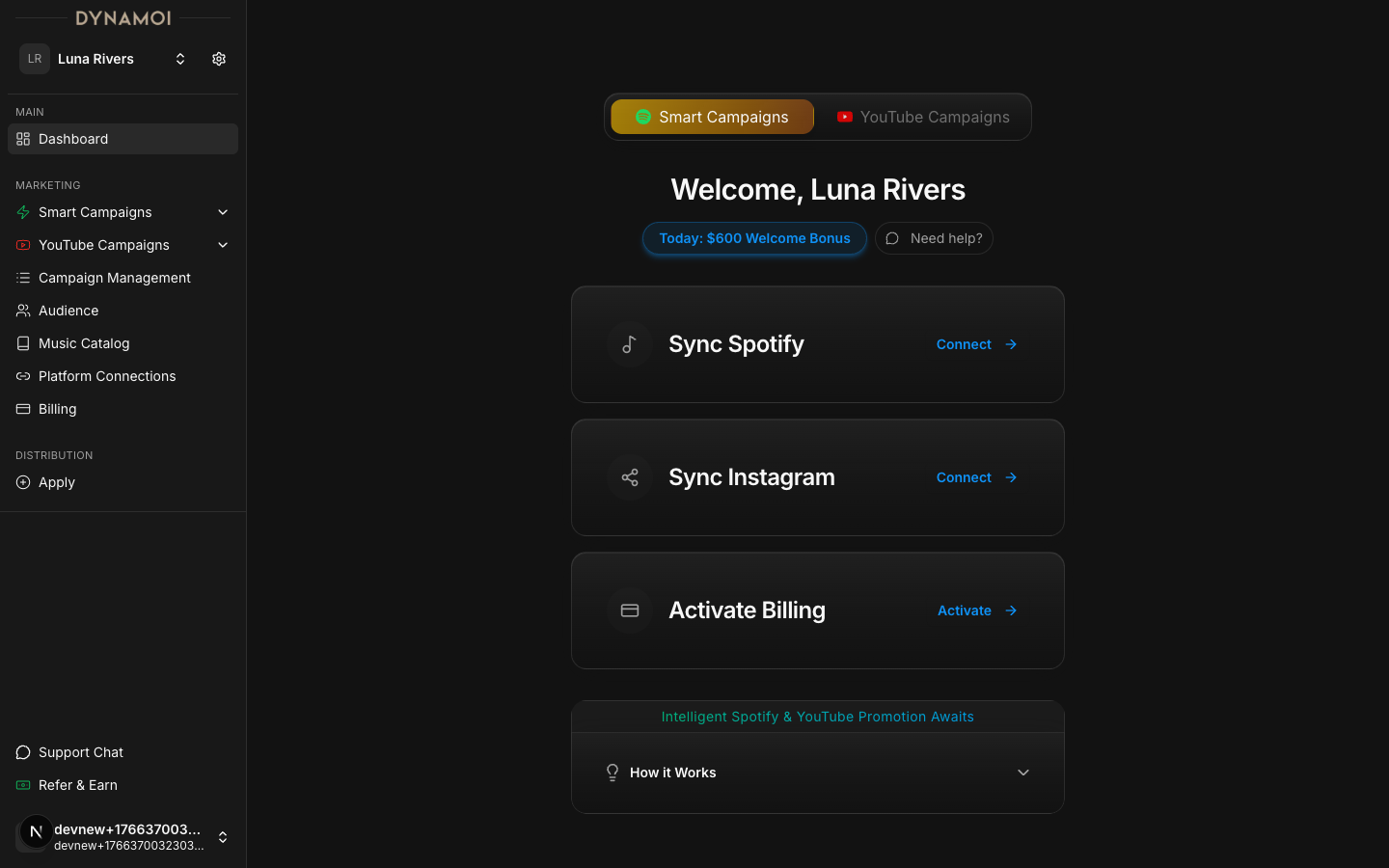
If you selected Smart Campaigns, you'll need to complete these steps:
| Step | Description |
|---|---|
| Connect Spotify | Link your Spotify for Artists account to enable streaming analytics and targeting |
| Connect Meta | Set up Meta partnership for Facebook and Instagram ad deployment |
| Activate Billing | Add a payment method to your artist profile to start running campaigns |
If you selected YouTube Campaigns, you'll need to complete these steps:
| Step | Description |
|---|---|
| Connect YouTube | Link your YouTube channel to enable view tracking and AdSense analytics |
| Activate Billing | Add a payment method to your artist profile to start running campaigns |
Billing is managed at the artist level, so each artist profile has its own subscription and payment method. New accounts may be eligible for a welcome bonus in ad credits.
Create your organization and first artist, then pick a campaign type and connect the required platforms.
When you first sign in, you'll be prompted to create your brand. This involves setting up both your organization and your artist identity.
Your organization name represents your label, management company, or business entity. This is used for grouping multiple artists under one umbrella.
If you're an independent artist, you can use your own name or a simple identifier like "Artist Name Music."
Your brand name is your artist, YouTube channel, or project name. This is what will appear on campaigns and in your dashboard. Each brand has its own billing and platform connections.
Click Submit to create your brand. This will set up your dashboard and prepare your account for campaigns.
Choose an organization name that matches your legal business entity if you have one. You can add multiple artists under the same organization later.
After creating your brand, you'll choose your primary marketing focus. This determines which platforms you'll need to connect.
Smart Campaigns are designed for Spotify and Apple Music growth, powered by Meta Ads.
Required connections: Spotify for Artists, Meta (Facebook/Instagram), Billing
You can switch between campaign types at any time using the toggle at the top of your dashboard.
Once you've completed brand creation and selected a marketing goal, you'll land on your dashboard with a setup checklist. The checklist items depend on which marketing goal you selected.
If you selected Smart Campaigns, you'll need to complete these steps:
| Step | Description |
|---|---|
| Connect Spotify | Link your Spotify for Artists account to enable streaming analytics and targeting |
| Connect Meta | Set up Meta partnership for Facebook and Instagram ad deployment |
| Activate Billing | Add a payment method to your artist profile to start running campaigns |
If you selected YouTube Campaigns, you'll need to complete these steps:
| Step | Description |
|---|---|
| Connect YouTube | Link your YouTube channel to enable view tracking and AdSense analytics |
| Activate Billing | Add a payment method to your artist profile to start running campaigns |
Billing is managed at the artist level, so each artist profile has its own subscription and payment method. New accounts may be eligible for a welcome bonus in ad credits.