
Creating a Smart Campaign
Step-by-step walkthrough of the Smart Campaign wizard.
Step-by-step walkthrough of the Smart Campaign wizard.
Step-by-step walkthrough of the Smart Campaign wizard.
Use the Smart Campaign wizard to launch a Meta campaign that promotes a Spotify URL.
Make sure these are ready:
| Requirement | Where to check |
|---|---|
| Spotify connected | Platform Connections |
| Meta partnership active | Platform Connections |
| Billing active | Billing |
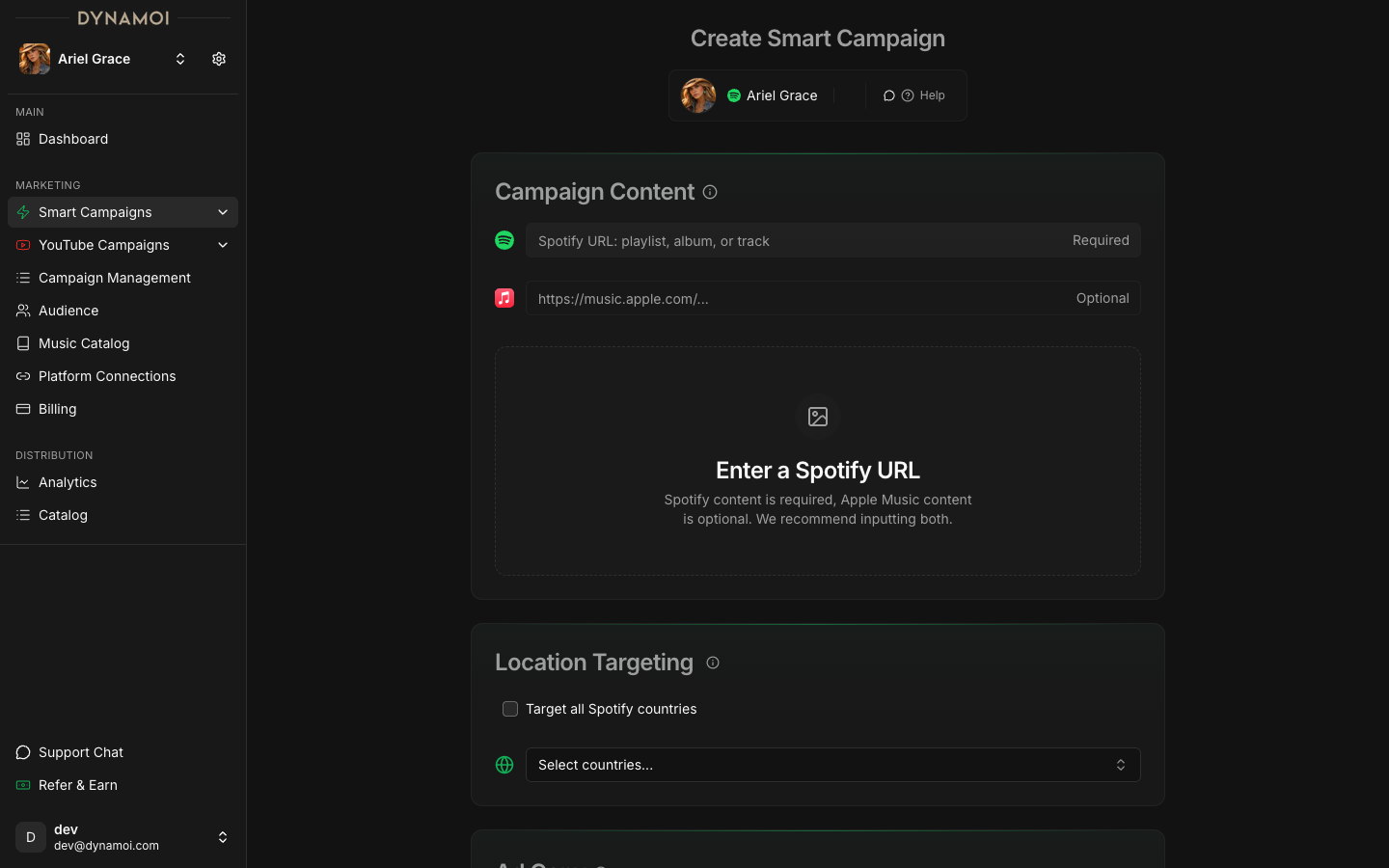
Go to Marketing → Create Smart Campaign.
Paste a Spotify link to a track, album, or playlist. Confirm the preview matches what you want to promote.
Choose Target all Spotify countries, or select specific countries.
Generate with AI or write your own. Manual copy must be at least 10 characters.
Upload images or videos, or select connected social posts.
Choose Daily or Total. Daily budgets have a $10/day minimum. Total budgets require an end date and have a minimum based on duration.
Review and submit. The campaign enters Deploying, then becomes Active.
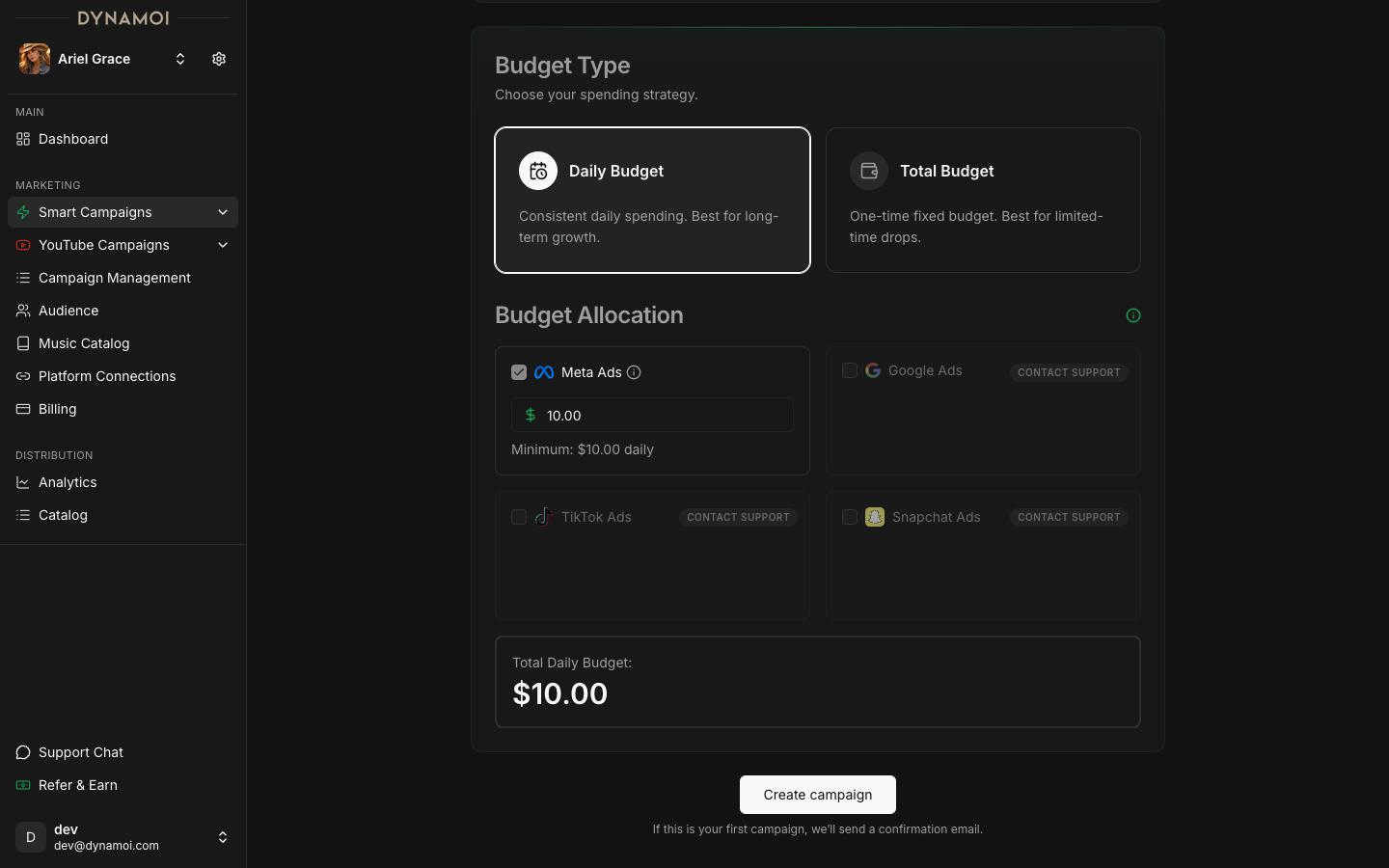
New campaigns show a Learning badge during their first week of active delivery. Avoid frequent changes during this period. See Understanding the Learning Phase.
| Problem | What to do |
|---|---|
Complete onboarding | Finish Spotify, Meta, and billing setup for this artist. |
Incomplete Form | Complete all sections: Spotify URL, location, ad copy, media assets, budget. |
| Media assets missing | Upload at least 1 asset or select at least 1 social post. |
Use the Smart Campaign wizard to launch a Meta campaign that promotes a Spotify URL.
Make sure these are ready:
| Requirement | Where to check |
|---|---|
| Spotify connected | Platform Connections |
| Meta partnership active | Platform Connections |
| Billing active | Billing |
Go to Marketing → Create Smart Campaign.
Paste a Spotify link to a track, album, or playlist. Confirm the preview matches what you want to promote.
Choose Target all Spotify countries, or select specific countries.
Generate with AI or write your own. Manual copy must be at least 10 characters.
Upload images or videos, or select connected social posts.
Choose Daily or Total. Daily budgets have a $10/day minimum. Total budgets require an end date and have a minimum based on duration.
Review and submit. The campaign enters Deploying, then becomes Active.
New campaigns show a Learning badge during their first week of active delivery. Avoid frequent changes during this period. See Understanding the Learning Phase.
| Problem | What to do |
|---|---|
Complete onboarding | Finish Spotify, Meta, and billing setup for this artist. |
Incomplete Form | Complete all sections: Spotify URL, location, ad copy, media assets, budget. |
| Media assets missing | Upload at least 1 asset or select at least 1 social post. |