Smart Link Analytics & Settings
Track 7, 30, and 90-day Smart Link visitors, clicks, saves, and countries, and customize themes, store order, and Meta, TikTok, or Google pixels.
Inspect how fans engage with your free Smart Links over 7, 30, or 90 days in Marketing > Smart Links > Analytics, and control themes, store order, tracking pixels, and your artist hub across the whole catalog in Marketing > Smart Links > Settings. Free on every plan, scoped per artist.
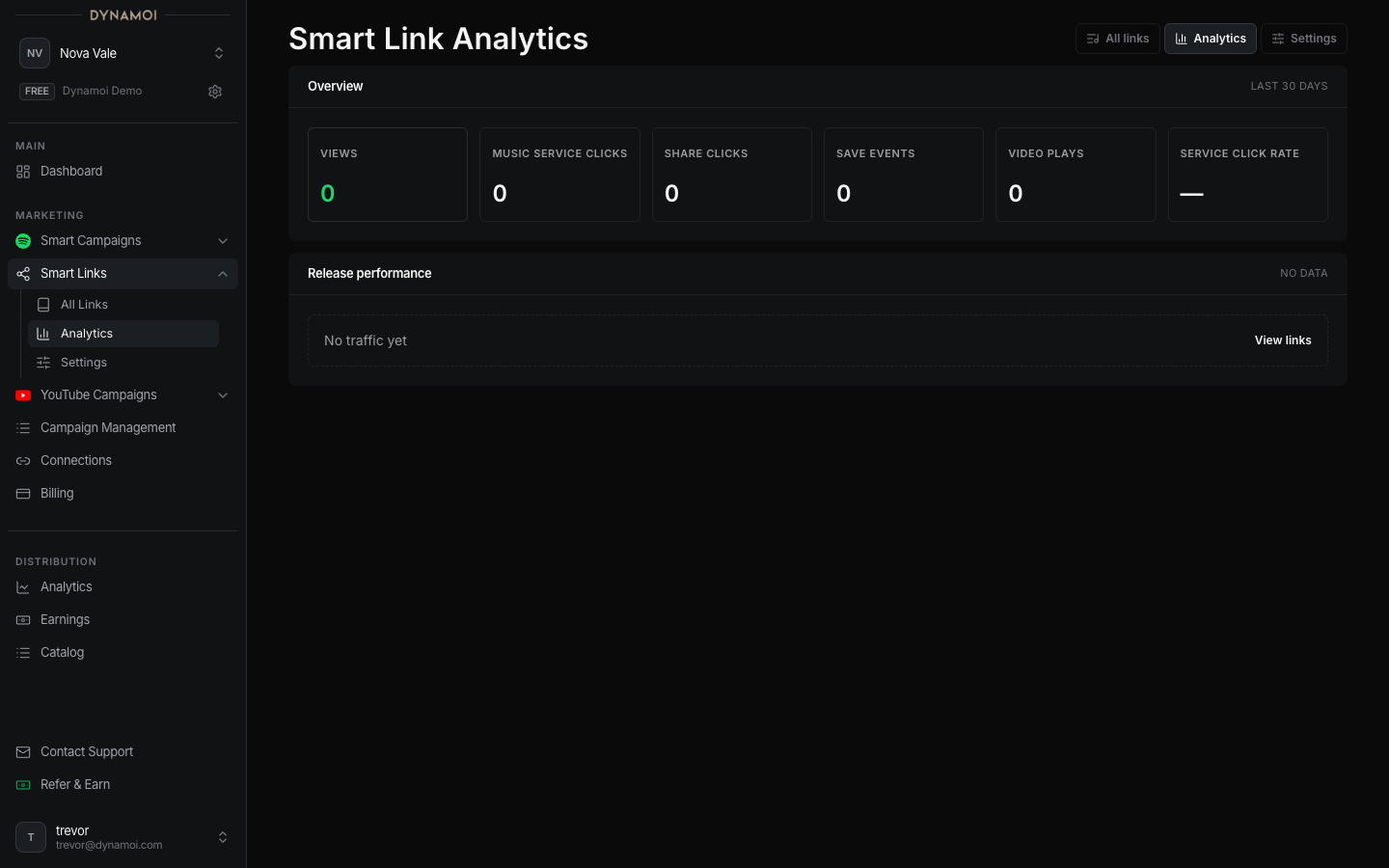
Smart Link Analytics
Select 7d, 30d, or 90d at the top of Marketing > Smart Links > Analytics to inspect engagement across your streamit.fm pages:
| Metric | What it measures |
|---|---|
| Visitors | Sum of daily unique visitors per Smart Link across the selected period (one listener opening two links or returning on another day counts once per link per day) |
| Music-service visitors | Sum of daily unique visitors per Smart Link who clicked through to a music service |
| Saves/follows | Sum of daily unique visitors per Smart Link who saved or followed (including Apple Music in-page saves) |
| Emails captured | Fan email addresses collected on Smart Links |
| Click rate | Share of visitors who clicked a music service |
| Save rate | Share of visitors who saved or followed |
Below the summary cards, the page breaks down:
- Traffic sources: Organic, Paid, QR code (from QR codes built in the Smart Link Share Kit), and Direct. Only visits with identifiable source signals appear here.
- Top countries and Music services clicked.
- Daily trend: Daily unique visitors with a Trend metric selector.
- Release performance: One row per release or playlist with configurable Rows per page.
Smart Link analytics measure observed engagement on your streamit.fm pages and stay separate from paid delivery reporting in Smart Campaign Analytics.
Artist-level Smart Link Settings
Open Marketing > Smart Links > Settings to configure defaults applied across every Smart Link for the active artist, then select Save (updates propagate across your catalog in the background):
| Setting | Options & details |
|---|---|
| Theme | Choose Default (Classic — centered card with service-color buttons), Brutalist (print contrast, hard edges, bright accent), Aurora (soft mesh, glass controls, ambient color), or Cinematic (square artwork, serif title, restrained rows) with live mobile preview. |
| Service order | Automatic by fan country (Recommended) orders services by local listener preference, or choose Use one fixed order to pin your preferred services at the top globally. |
| Tracking pixels | Add validated IDs at $0 cost: Meta Pixel (15–20 digit numeric ID), TikTok Pixel (20-character pixel code), and Google Ads (AW- conversion ID). Configured pixels initialize on page load. |
| Artist hub | Edit the Artist intro shown on streamit.fm/{artistSlug} and release pages, or select Open artist hub to view it live. |
| Profile links | Add, verify, or Hide links to the artist's official profiles on other services with Add service. |
| Smart Links toggle | Switch public Smart Links Enabled or Disabled for the artist's entire catalog. |
Note Tracking fields accept validated pixel IDs only — never raw JavaScript or tag-manager snippets. Adding a TikTok Pixel or Google Ads conversion ID tracks visitors on your free Smart Links; it does not make TikTok or Google a Smart Campaign delivery network.
Per-release overrides — description, custom music-service URLs, and Smart Link Video — live on each release row under Marketing > Smart Links > All Links.
Disabling and re-enabling Smart Links
Selecting Disable Smart Links removes every public streamit.fm page for that artist's catalog. Links already posted in bios, QR codes, or social profiles stop resolving while removal processes, and existing search indexing can drop. Select Enable Smart Links to republish them later.
AI agent & CLI access
Available via the Dynamoi MCP server (dynamoi_preview_smart_link_themes, dynamoi_get_smart_link, dynamoi_update_smart_link_artist_hub_settings, dynamoi_smart_link_controls — directory & full profiles; dynamoi_update_smart_link_artist_settings — directory profile only) and the dynamoi CLI.