
YouTube Campaigns
YouTube Video Library
Browse videos from the connected YouTube channel, review recent video signals, and select eligible content for managed campaigns.
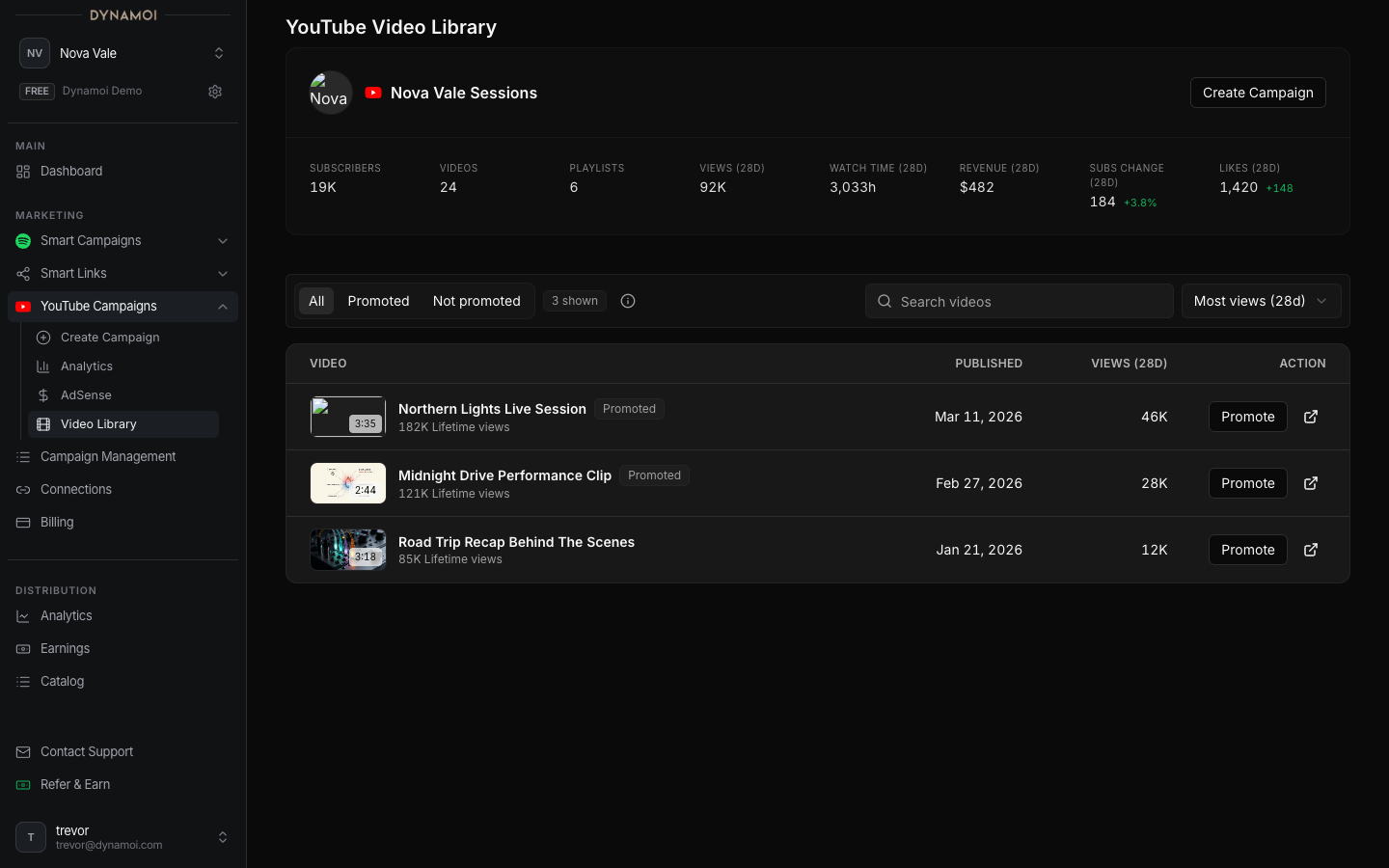
The YouTube Video Library loads videos Dynamoi can retrieve from the artist's connected channel. It provides a safer starting point for campaign creation than manually pasting an unrelated or inaccessible URL.
Open the library
In the artist dashboard, go to:
Marketing → YouTube Campaigns → YouTube Video Library
A connected YouTube channel is required. The library is scoped to the current artist and the channel authorized through Platform Connections.
What the library shows
When provider data is available, a video row can include:
- Thumbnail and title
- Publish date and duration
- Lifetime view count
- Recent 28-day views and watch minutes
- Whether Dynamoi already recognizes the video as promoted
- A control to begin campaign setup for that video
Values can be missing for newly connected channels, private or unavailable content, provider-reporting gaps, or videos outside the returned page of channel results.
Starting a campaign
Selecting a video opens or seeds Create YouTube Campaign. The strategy determines what else is required:
- Views: one video, no playlist
- Watch Time, Subscribers, Channel Growth, or Revenue: a valid playlist destination for each promoted video selection
Playlist-based strategies can contain up to 10 promoted video-and-playlist destinations. The library provides the video identity; the creator validates playlist candidates and lets you choose the primary destination.
When a video is missing
Check the following:
- Confirm
Account→Platform Connectionsshows the intended YouTube channel. - Confirm the signed-in Google account still has access to that channel.
- Verify the video has not been deleted, made inaccessible, or moved to another channel.
- Refresh or reconnect YouTube when authorization changed.
- Load another page of results when the library provides pagination.
- Paste the eligible video URL in Create YouTube Campaign if it is not yet visible in the current library page.
The Google Ads link is not required merely to browse every retrieved video, but it must be accepted before a managed campaign can deploy.
Data freshness
The library combines YouTube channel inventory with cached analytics. A newly published video or recently changed metric may take time to appear. Campaign setup re-validates content, so seeing a video in the library does not guarantee that provider policy review or content screening will approve it for advertising.
Continue with Creating a YouTube Campaign or review Connecting YouTube when the wrong channel is shown.