
Distribution
Publishing Status in the Catalog
See how per-track songwriter and publishing status appear in the distribution Catalog and how they differ from royalties.
There is no separate publishing administration page in the dashboard. Publishing status shows per track inside the distribution Catalog, next to the songwriter, ISRC, UPC, and release metadata.
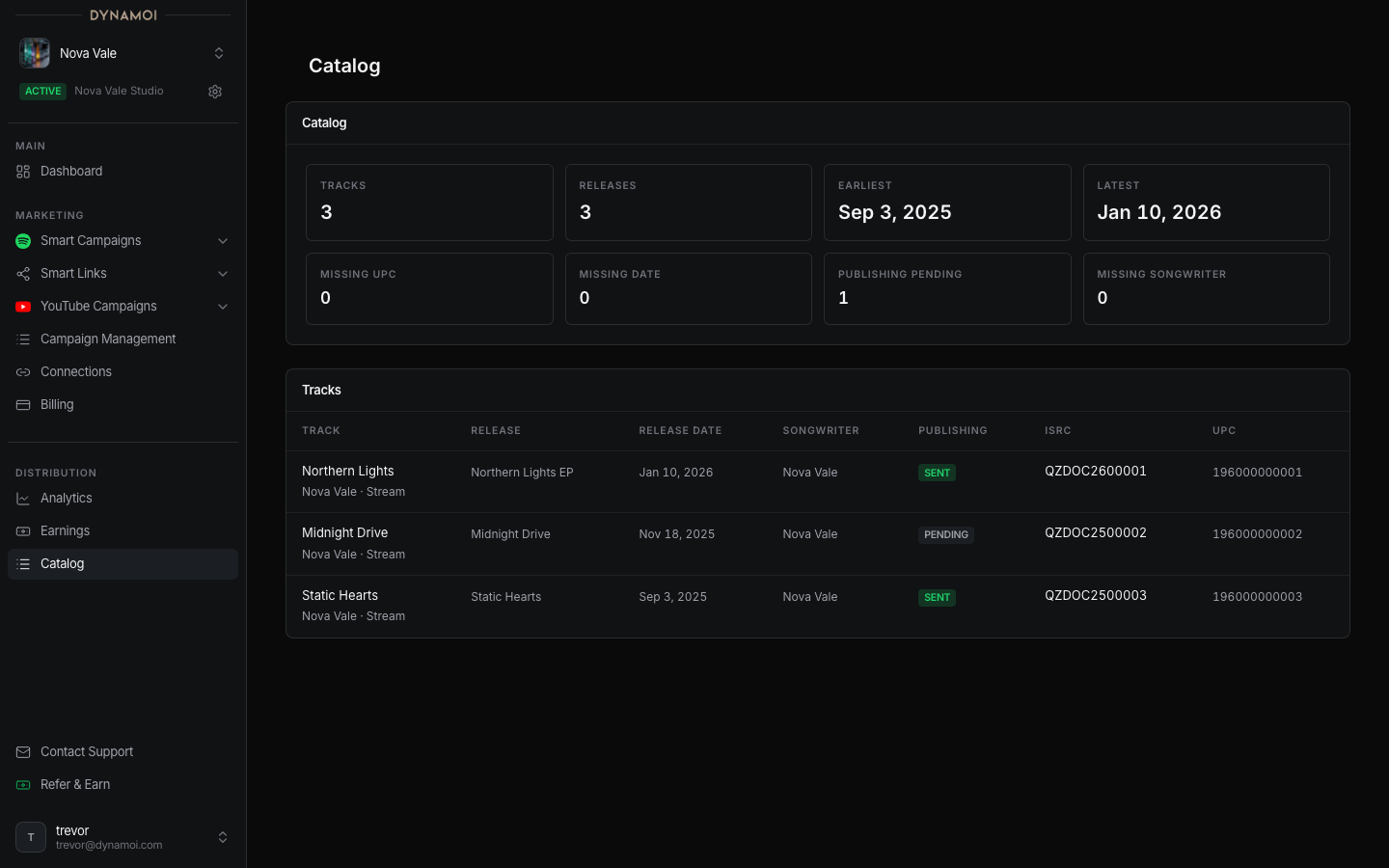
Where publishing status appears
Open Distribution > Catalog. Each track shows a Songwriter value and a Publishing status:
- On desktop, the
Publishingcolumn readsSentorPending. - On mobile, the badge reads
Publishing sentorNeeds publishing.
Sent means the track has been submitted to Songtrust. Pending means it has not. These status fields appear for every distributed track. There is no separate toggle to enable publishing status.
Catalog summary signals
The catalog summary cards include Publishing pending and Missing songwriter counts, so you can see how many tracks still need writer or publishing data. See Distribution Catalog for the full set of summary cards and columns.
Publishing vs distribution
| Area | Distribution | Publishing |
|---|---|---|
| Revenue type | Sound recording royalties | Composition and publishing royalties |
| Common data | ISRC, UPC, store, country, stream tier | Work, writer, publisher, society or source |
| Where it shows | Royalties, Catalog | The Songwriter and Publishing columns in the Catalog |
How to use both
Use the distribution pages to understand recording performance and payout status. Use the Songwriter and Publishing columns in the Catalog to see whether each track's composition data is complete.
For public royalty benchmarks and aggregated market context, see Dynamoi Data.