
Getting Started
Billing Management
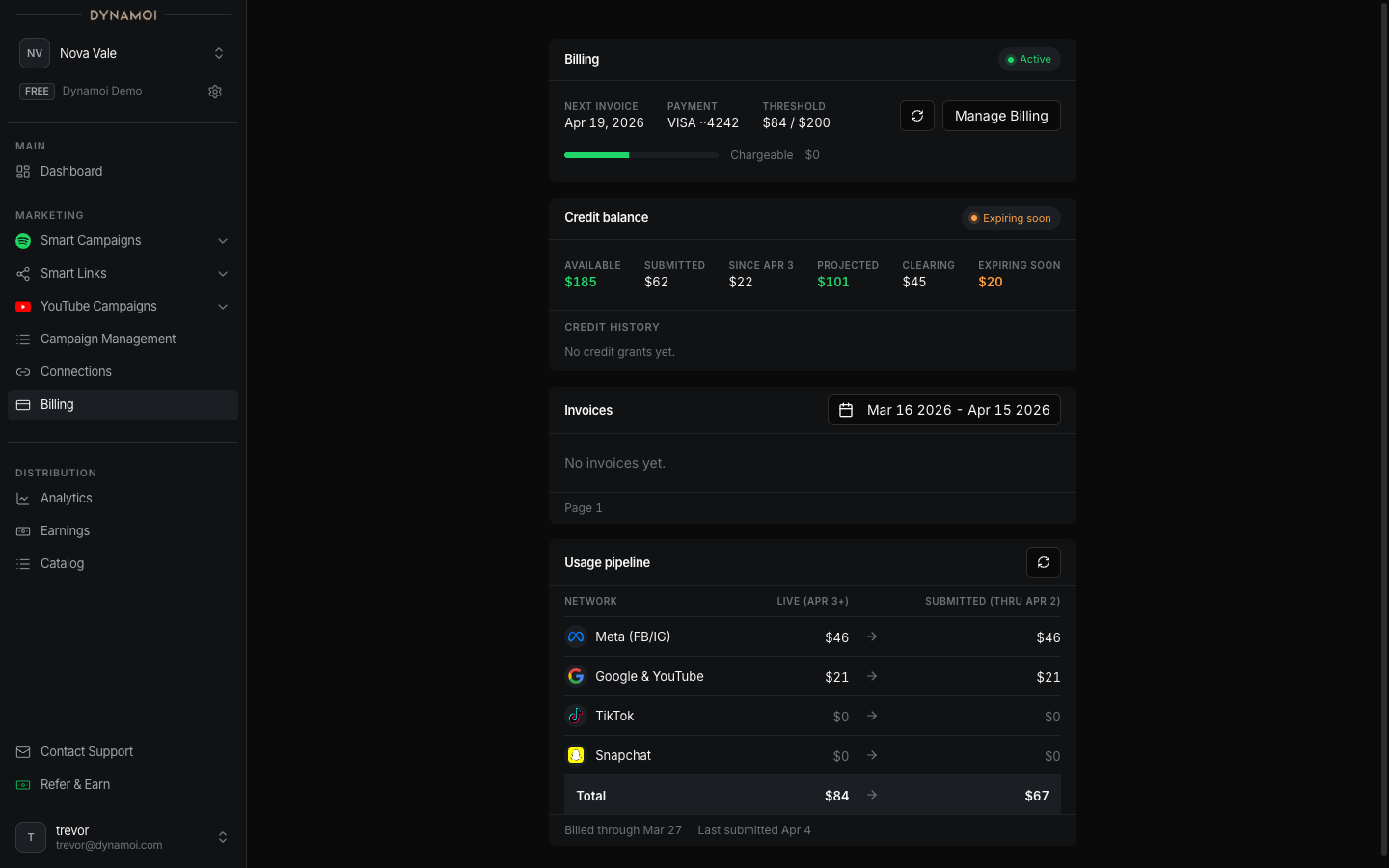
Read the current artist's subscription, campaign credit, projected usage pipeline, invoices, and Stripe payment records.
Billing Management is the artist-scoped control center for managed-advertising activation, campaign credit, campaign usage, invoices, and subscription actions.
Open Billing
Select Billing in the Account section of the dashboard sidebar.
Subscription and activation
The page shows whether the current artist is on Free, Starter, Plus, a promotional arrangement, or a configured shared-billing state. Available actions can include starting a plan, opening the Stripe customer portal, or scheduling cancellation.
A scheduled cancellation does not immediately remove paid entitlement. The artist remains on the paid plan through the current billing period, then returns to Free when cancellation becomes effective.
Campaign credit
The Credit balance area can show:
Available: credit currently eligible to be appliedExpiring soon: available credit scheduled to expire within 30 daysClearing: a grant waiting for the associated successful payment to settleSubmitted: credit already associated with submitted usageProjected: the current dashboard estimate after pending usage is considered
Campaign-credit grants expire 12 months after issue. The ledger, not a single summary number, determines which grant is applied and when it expires.
Usage pipeline
The Usage pipeline groups eligible campaign usage by network and processing stage:
Live: observed usage that has not yet been submitted to StripeSubmitted: usage already submitted for invoice processing
These values are operational projections and can move as provider data, reconciliation, credit application, and Stripe processing complete. They are not a final invoice.
Invoices and payment records
Invoice history appears on the Billing page. Open an invoice to review the associated usage, campaign credit, and charged amount. When a hosted Stripe invoice or receipt is available, treat that hosted payment record as authoritative.
Related guides: