
Campaign Management
Archiving Campaigns
Archive eligible paused or ended Meta, Google, and Spotify campaigns while preserving analytics, then unarchive them to Paused.
Archiving removes an eligible campaign from the default working list without deleting its history or analytics.
Eligibility
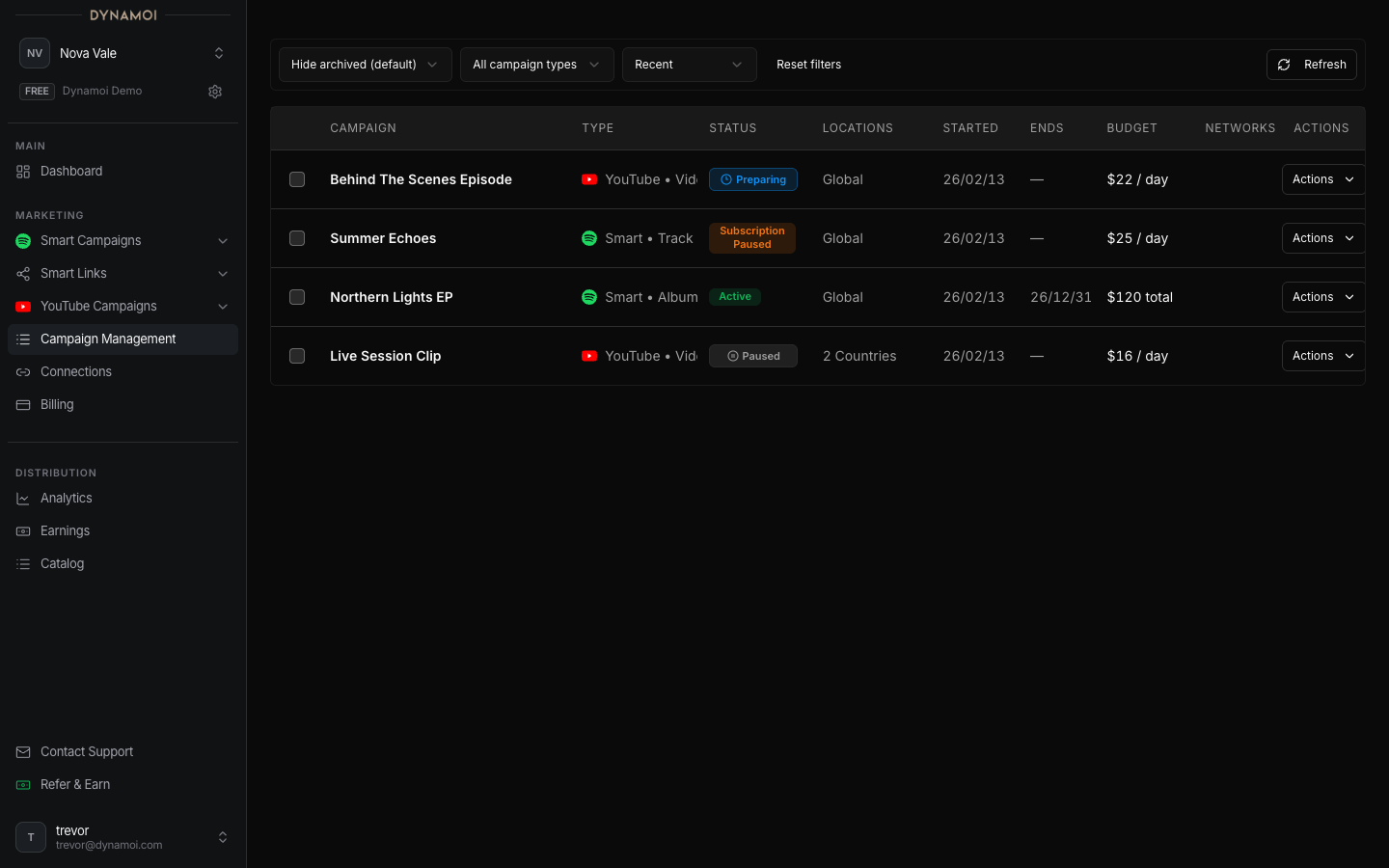
Eligible campaigns on Meta, Google, or Spotify can be archived from Paused or Ended. Active campaigns must be paused first. Shop-linked YouTube campaigns are analytics-only and cannot be archived from the dashboard.
Provider review or unknown states can temporarily block the archive action. Meta archive transitions also request a provider pause when needed before Dynamoi records the campaign as Archived.
Archive a campaign
Open All Campaigns Select All Campaigns in the dashboard navigation.
Pause if active Request a pause and wait for the campaign to become eligible.
Archive Open the actions menu and select
Archive campaign.
Archived campaigns retain their stored configuration, spend history, and available reporting. Use the archived filter or relevant list state to find them.
Unarchive
Select Unarchive campaign on an Archived campaign. The lifecycle returns to Paused, not Active. Resume separately only when billing, provider state, and campaign type allow it.
Note Archiving is an organizational action, not deletion and not a promise that provider reporting has stopped settling. Recent attributed results can still arrive after delivery ends.