
Smart Campaigns
Budgets & Targeting
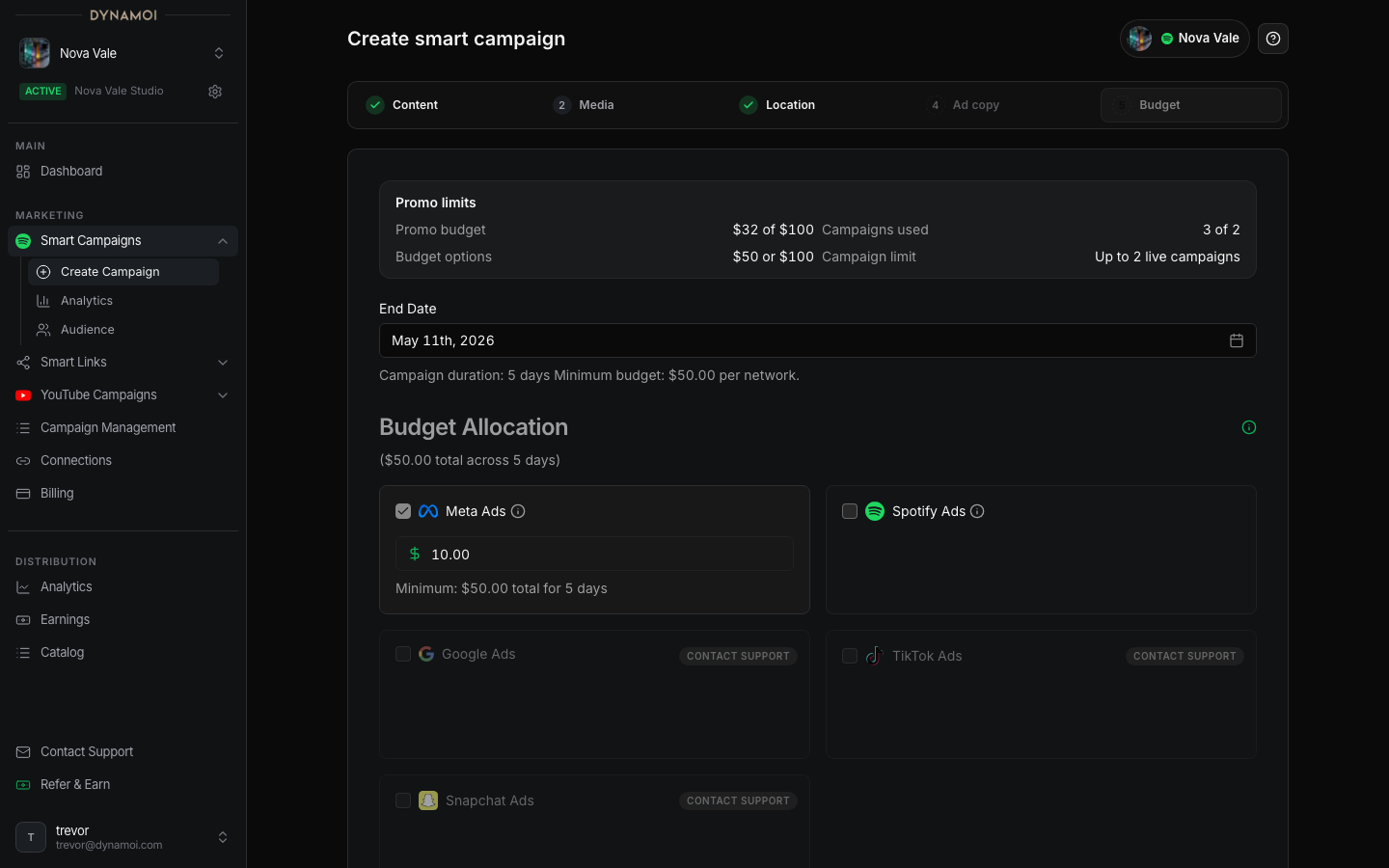
Set a daily or total Meta Smart Campaign budget and choose Worldwide, Recommended markets, or specific countries.
Smart Campaign authoring keeps targeting to country selection and currently deploys through Meta.
Budget types
| Type | Current behavior |
|---|---|
| Daily | Uses a daily client-facing budget until the campaign is paused, archived, ended, or otherwise stopped |
| Total | Uses a fixed total amount and required end date for a time-bounded flight |
Limits
- Daily minimum: $10/day
- Daily maximum: $100/day
- Total-budget minimum: $50
- Minimum duration: 5 days
- A total budget must also cover every selected day at the $10/day minimum
The form calculates the effective total minimum from both the $50 floor and the selected duration.
Location modes
| Mode | Meaning |
|---|---|
Worldwide |
Uses the countries currently available to the managed Meta workflow and gives delivery the broadest eligible reach |
Recommended markets |
Uses the current market recommendation supplied in the creation flow |
Choose countries |
Uses only the countries you select |
Recommended markets and manually chosen countries are stored as included-country targeting. The legacy exclude-country mode has been removed from current Smart Campaign authoring.
Fresh drafts start Worldwide. A broad audience can give Meta more room to allocate delivery, but no targeting mode guarantees a lower cost or a particular result.
Network boundary
Spotify Ads selection is disabled. Google, TikTok, and Snapchat are not Smart Campaign delivery options. See YouTube Campaigns for managed YouTube promotion.