Dynamoi LogoMusic Promotion · YouTube Growth
PricingHow it worksFor labelsWhite LabelYouTube
Get Started
Documentation
Smart Campaign OverviewCreating a Smart CampaignBudgets & TargetingAd Copy & CreativesSmart LinksCampaign StatusesMusic CatalogGeographic Targeting
Docs/Smart Campaigns/Ad Copy & Creatives

Ad Copy & Creatives

Learn how to create compelling ad copy that converts listeners, with AI assistance or manual control.

Smart Campaigns use your ad copy to capture attention and drive clicks. Dynamoi offers two modes for creating this content.

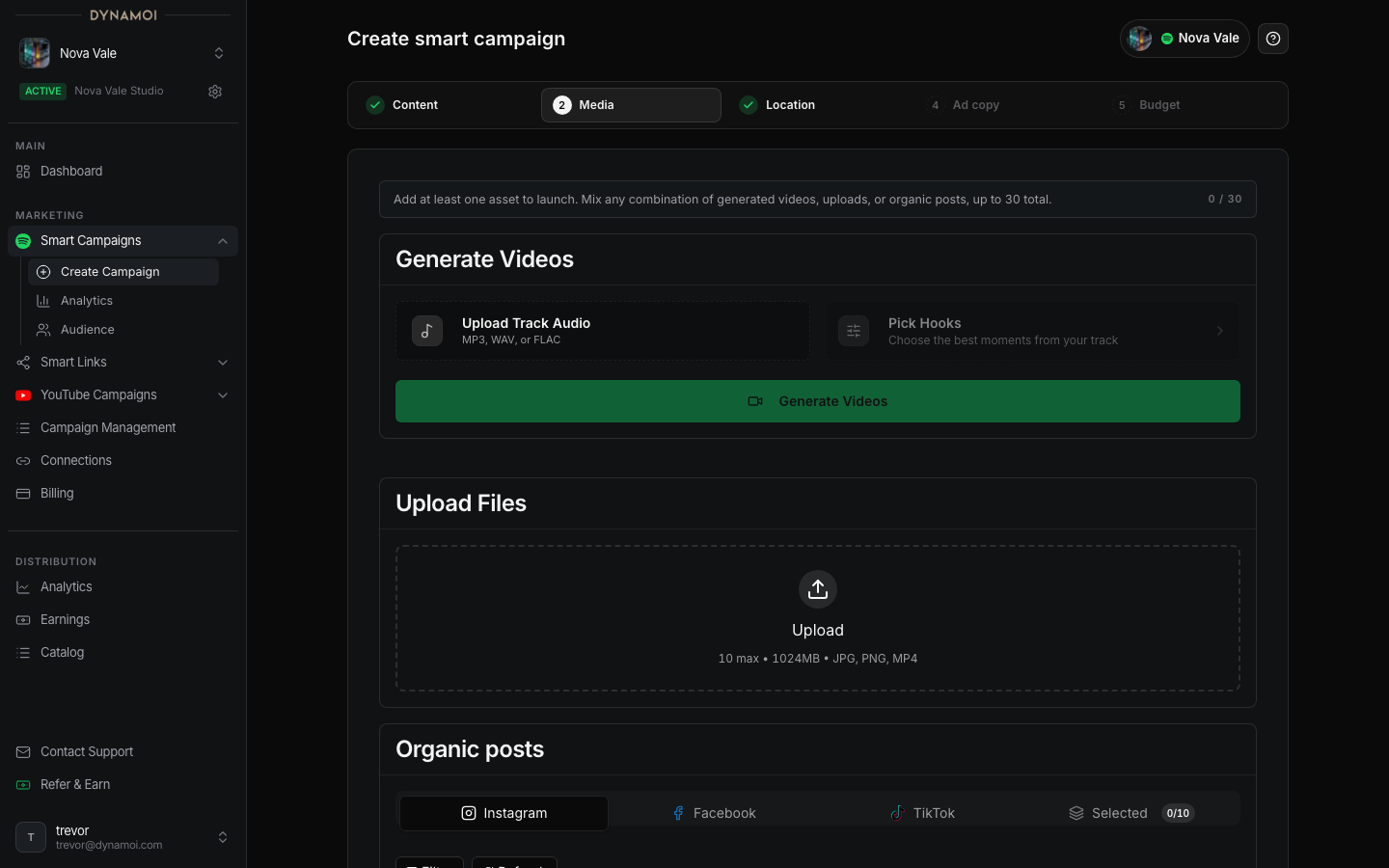
Create Smart Campaign wizard showing media assets selection

Copy Generation Modes

You can choose how your ad copy is created:

Mode How It Works Best For
AI Mode Generates creative copy using your artist context Quick setup, testing new approaches
Manual Mode Uses your exact text with light formatting Brand consistency, specific messaging

Note Both modes produce 5 variations of each copy element for A/B testing.

AI-Generated Copy

When you select AI mode, Dynamoi creates ad copy using:

Context Source What It Provides
Artist name and genres Core identity and style
Content title and type What's being promoted
Instagram captions Your writing voice and tone
Facebook posts How you communicate with fans
YouTube channel description Your self-written bio

The AI matches your existing communication style while creating platform-optimized copy.

How AI Mode Works

  1. Context Gathering Dynamoi pulls your recent social media posts and artist metadata.

  2. Voice Matching The AI analyzes your writing patterns and tone.

  3. Copy Generation Creates 5 variations of each copy element matching your style.

  4. Review and Edit You can modify any generated copy before launch.

Manual Mode

When you provide your own copy, Dynamoi:

  • Uses your exact wording as the foundation
  • Makes only necessary adjustments for Meta's guidelines
  • Preserves your brand voice completely

Tip Use Manual mode when you have a specific marketing message or campaign theme you want to maintain across all ads.

Character Limits

Meta platforms have strict character limits for ad copy:

Element Limit Purpose
Headline 40 characters Primary attention grabber
Primary Text 125 characters Main message and value proposition
Description 30 characters Call to action or supporting info

Warning Copy exceeding these limits will be truncated. AI mode stays within limits automatically.

Copy Elements Explained

Headlines

Headlines appear prominently in ads and should:

  • Include the track or artist name
  • Create immediate interest
  • Work standalone (without context)

Examples:

  • "Stream Eclipse Now"
  • "New Music: Midnight Run"
  • "Luna Rose - Echoes"

Primary Text

Primary text provides the main message:

  • Explain what you're promoting
  • Include a reason to click
  • Match your artist voice

Examples:

  • "Experience the latest from Luna Rose. Stream 'Echoes' on your favorite platform."
  • "New release alert! 'Midnight Run' is here. Listen today."

Descriptions

Descriptions are short calls to action:

  • Direct and actionable
  • Platform-focused
  • Concise

Examples:

  • "Stream on Spotify & Apple Music"
  • "Listen Now on All Platforms"
  • "Available Everywhere"

Media Assets

Automatic Asset Usage

Dynamoi automatically uses:

  • Album artwork from your Spotify content
  • Artist images from your connected profiles

No manual upload is required for most campaigns.

Video Content

If you have video content (music videos, visualizers):

Format Where It Appears
YouTube videos YouTube campaigns (separate from Smart Campaigns)
Reels/Stories Meta placements optimized for vertical video

Tip Video ads typically outperform static images. If you have a music video or visualizer, consider a YouTube campaign alongside your Smart Campaign.

Editing Generated Copy

After generation, you can modify any copy element:

  1. Review Generated Copy See all 5 variations for each element.

  2. Edit Any Variation Click to modify text while staying within limits.

  3. Regenerate if Needed Request new AI-generated options if none fit.

  4. Approve Final Copy Confirm your selections before launch.

Best Practices

For AI Mode

Practice Why It Helps
Keep social profiles active More context = better voice matching
Review all 5 variations Different angles may perform differently
Edit rather than regenerate Tweak good copy instead of starting over

For Manual Mode

Practice Why It Helps
Write multiple variations Give the algorithm options to test
Stay within limits Avoid truncation issues
Include clear CTAs Tell users what to do

Copy Performance

Once your campaign is running, you'll see which copy variations perform best:

  • Top Headlines - Which get the most clicks
  • Top Primary Text - Which drive engagement
  • Top Descriptions - Which convert to saves

Use these insights when creating future campaigns.

Last updated
Previous

Budgets & Targeting

Next

Smart Links

On this page

  • Copy Generation Modes
  • AI-Generated Copy
  • How AI Mode Works
  • Manual Mode
  • Character Limits
  • Copy Elements Explained
  • Headlines
  • Primary Text
  • Descriptions
  • Media Assets
  • Automatic Asset Usage
  • Video Content
  • Editing Generated Copy
  • Best Practices
  • For AI Mode
  • For Manual Mode
  • Copy Performance

Join Artists, Labels & YouTube Creators Scaling with Dynamoi

Get Started Now
Dynamoi Logo

The operating system for music growth. Powered by data. Built for artists.

Created by Trevor Loucks

Company

About UsPricingFor LabelsWhite LabelAffiliate ProgramData License
Legal
Privacy PolicyTerms of Service

Features

Marketing
How it WorksYouTube MarketingSpotify MarketingTikTok Promotion
Resources
Data CatalogRoyalties CalculatorLearnNews

Connect

Contact SupportDocs