
Analytics
Campaign Optimization
Use multi-day, source-aware analytics to decide whether to continue, pause, edit, duplicate, or replace a managed campaign.
Optimization begins with an accurate reporting scope. Confirm the artist, campaigns, date range, provider, archived-campaign setting, and data status before changing delivery.
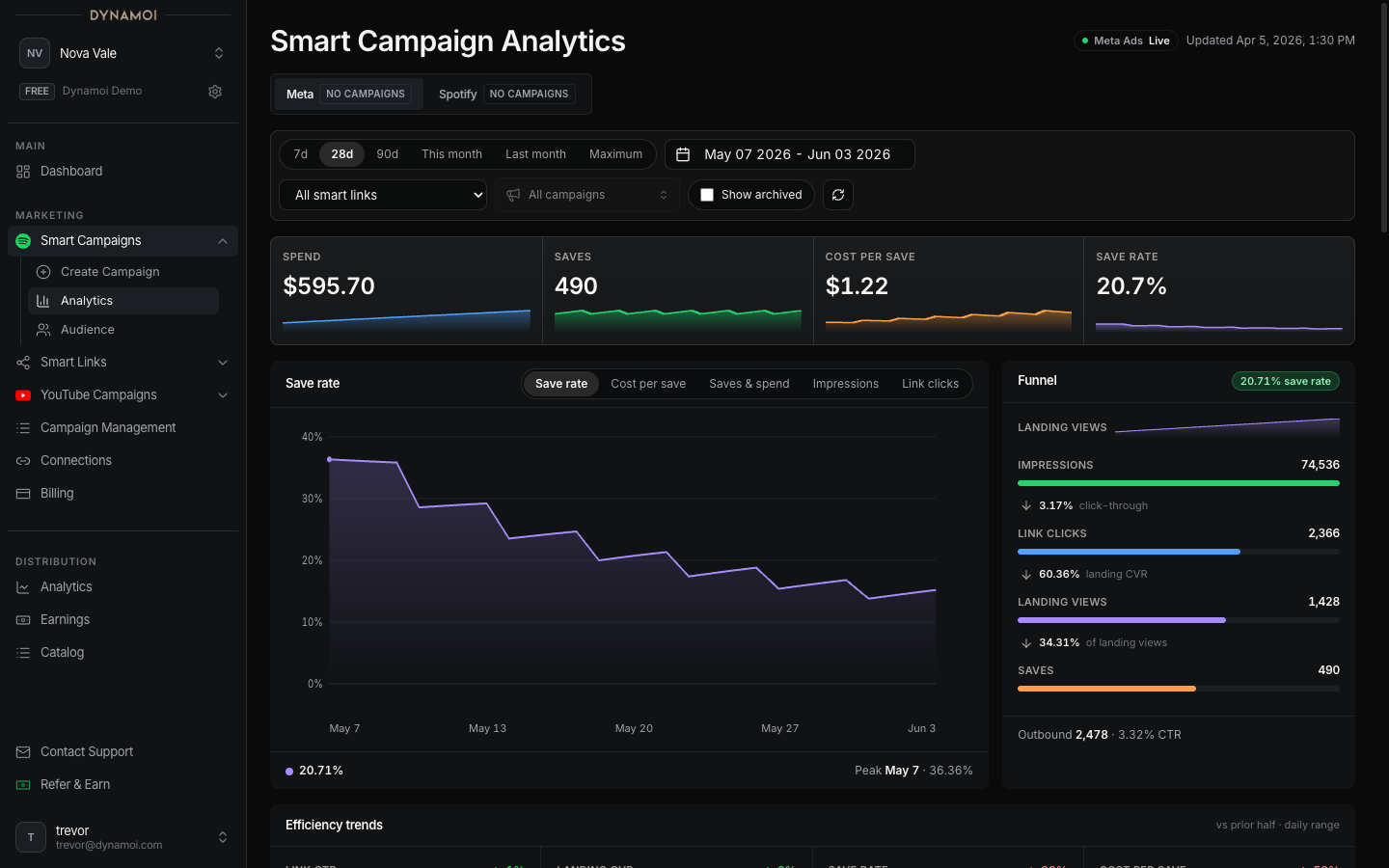
Start with enough evidence
A campaign can display a Learning badge while it is Active or Deploying and less than seven days old. The badge is based on age, not a provider promise that performance will stabilize on day seven.
Use multiple signals:
- Delivery volume and spend
- Conversion or follow-on action volume
- Efficiency trend
- Creative, placement, country, or video breakdown
- First-party Smart Link behavior
- Source freshness and attribution delay
- Campaign status and remaining duration
One day, one save, or one converted view is rarely enough to separate a trend from normal auction variation.
Smart Campaign decisions
For Meta-delivered Smart Campaigns, review:
- Meta-attributed saves and cost per save
- Save rate and landing conversion rate
- Spend and saves over time
- Creative and placement performance
- Country rows and Market Response confidence
- Smart Link views and music-service clicks
- Engagement fields without confusing post saves with music saves
A low cost per save can be useful, but it is not automatically the best business outcome. Check whether downstream service clicks and artist-market response support the same conclusion.
YouTube Campaign decisions
Separate:
- Google Ads delivery
- Google Ads converted organic-view and subscriber signals
- Blended paid-window observations
- Channel-wide YouTube views and watch time
- Video, playlist, discovery, and country evidence
- Revenue and return multiples when monetization data is complete
Do not attribute all channel growth or revenue to the campaign. Use source chips and aligned dates.
Available next actions
Open All Campaigns for lifecycle and edit controls. The available action is calculated from campaign type, provider, status, budget type, ownership, and creation date.
| Action | When it can be appropriate | Important boundary |
|---|---|---|
| Keep running | Evidence is still sparse, the campaign is learning, or multi-day results remain within an acceptable range | Continued delivery can spend additional budget; no result is guaranteed |
| Pause | You need to stop or queue a stop while investigating cost, content, billing, or provider issues | Provider processing is not always instantaneous |
| Resume | The campaign is eligible, billing is active, its end date has not passed, and provider state allows it | Self-serve resume is currently blocked for campaigns using the Views strategy |
| Edit | The campaign is mutable and a supported field can be changed safely | Fixed-flight, shop, archived, ended, or unsupported provider states can lock edits |
| Duplicate | You want a new draft based on a non-shop campaign while preserving the original | Revalidate every field because availability and limits can change |
| Archive | A Paused or Ended campaign should leave the active working set | Archiving is organizational; it does not substitute for pausing an Active campaign |
| Create a new campaign | The strategy, fixed-flight settings, content structure, or locked fields need to change | A new campaign starts a separate review and delivery lifecycle |
Supported live edits
For eligible Active or Paused, non-shop, non-fixed-flight campaigns, Dynamoi can expose:
- Budget changes
- Country targeting changes for campaigns created on or after January 6, 2026
- End-date changes for daily-budget YouTube campaigns
- YouTube optimization-goal changes
- Monetization-mode changes when the channel and current mode qualify
The UI hides or blocks an edit when provider identity, status, campaign age, strategy, or billing authority makes the operation unsafe.
Reading a change after it is made
After a pause, resume, or edit:
- Confirm the campaign action completed rather than remaining queued or failed.
- Allow the provider and reporting pipeline to settle.
- Compare the post-change period with a meaningful pre-change period.
- Keep campaign mix and date coverage in mind.
- Avoid claiming causality from a single before-and-after chart.
See Editing Live Campaigns, Pausing Campaigns, and Troubleshooting Campaign Statuses.