
Distribution
Distribution Analytics
Analyze Dynamoi royalty statements by period, store, country, tier, transaction type, track, release, and organization scope.
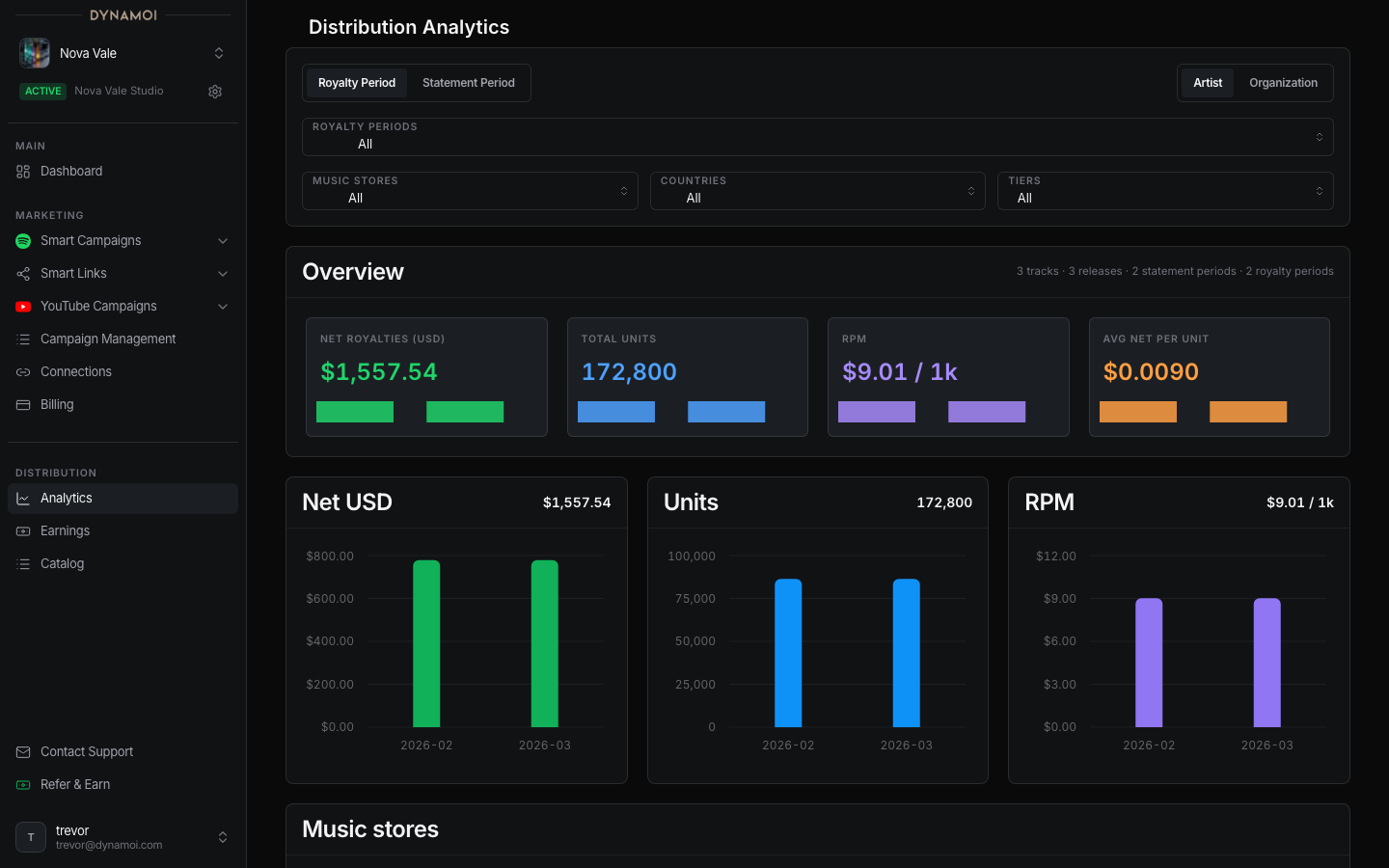
Distribution Analytics turns processed royalty-statement rows into performance and rate comparisons. Open Distribution > Distribution Analytics for an artist with Distribution access.
Choose the scope
The scope control can show:
| Scope | Meaning |
|---|---|
| Artist | Royalty data linked to the selected artist |
| Organization | Combined data across accessible artists in the organization |
Organization scope appears only when it is available to the current user. A viewer or payee-scoped view uses your royalties and your average royalty per unit so it does not imply access to the full contractual amount.
Filter the data
Use the filter bar to select:
- Royalty Period or Statement Period as the primary period type.
- One or more reporting periods.
- Music stores or services.
- Countries.
- Listener or product tiers.
The page keeps the selected period mode and filters in the URL, so a filtered view can be revisited. Clearing filters returns to the full available dataset for the current scope.
Read the overview
The overview contains four primary metrics:
| Metric | Meaning |
|---|---|
| Net Royalties / Your Royalties (USD) | Royalties in the current filtered view |
| Total Units | Reported units represented by those rows |
| Royalties / 1K Streams | Net royalties divided by units and scaled to 1,000; this is a comparison rate, not a guaranteed store payout |
| Avg Net / Your Royalty per Unit | Net royalties divided by reported units |
When enough period history exists, cards include a sparkline and a comparison with the prior group of periods.
Artist Intelligence
The Artist Intelligence card summarizes signals from the current filtered data:
- Money Driver — the service contributing the largest royalty amount.
- Volume Drag — high unit share that contributes a disproportionately smaller royalty share.
- Top Market — the country contributing the strongest royalty result.
- Track Focus — the leading matched track in the view.
These are descriptive calculations over reported statements. They do not predict future royalties or prove listener intent.
Breakdowns and leader tables
The page includes:
- Music Stores
- Countries
- Tiers
- Transaction Types
- Top Tracks
- Top Releases
- Artists in organization scope
- Royalty Periods
- Statement Periods
- Royalties per stream by market
Breakdown rows show units, net royalties, per-1,000 rate, and share where applicable. Track and release tables include catalog identifiers when those identifiers were matched in the imported statement data.
Data availability
Distribution Analytics is statement-based. Empty panels mean no eligible statement rows are linked to the current artist and filter selection—not necessarily that no activity occurred on the underlying music service.
Store reporting formats, corrections, reversals, reserves, territory labels, tier labels, and delayed statements can change historical totals. Use Distribution Earnings for the authenticated payee's balance, statements, and payment history.