
Marketing
Spotify Growth Audit
Use the public Spotify Growth Audit to evaluate public catalog, release, popularity, and market signals before choosing a promotion path.
The Spotify Growth Audit is a public research tool that evaluates an artist using public Spotify data and, when available, resolved public market context. It does not require a Dynamoi login and does not read private Spotify for Artists data.
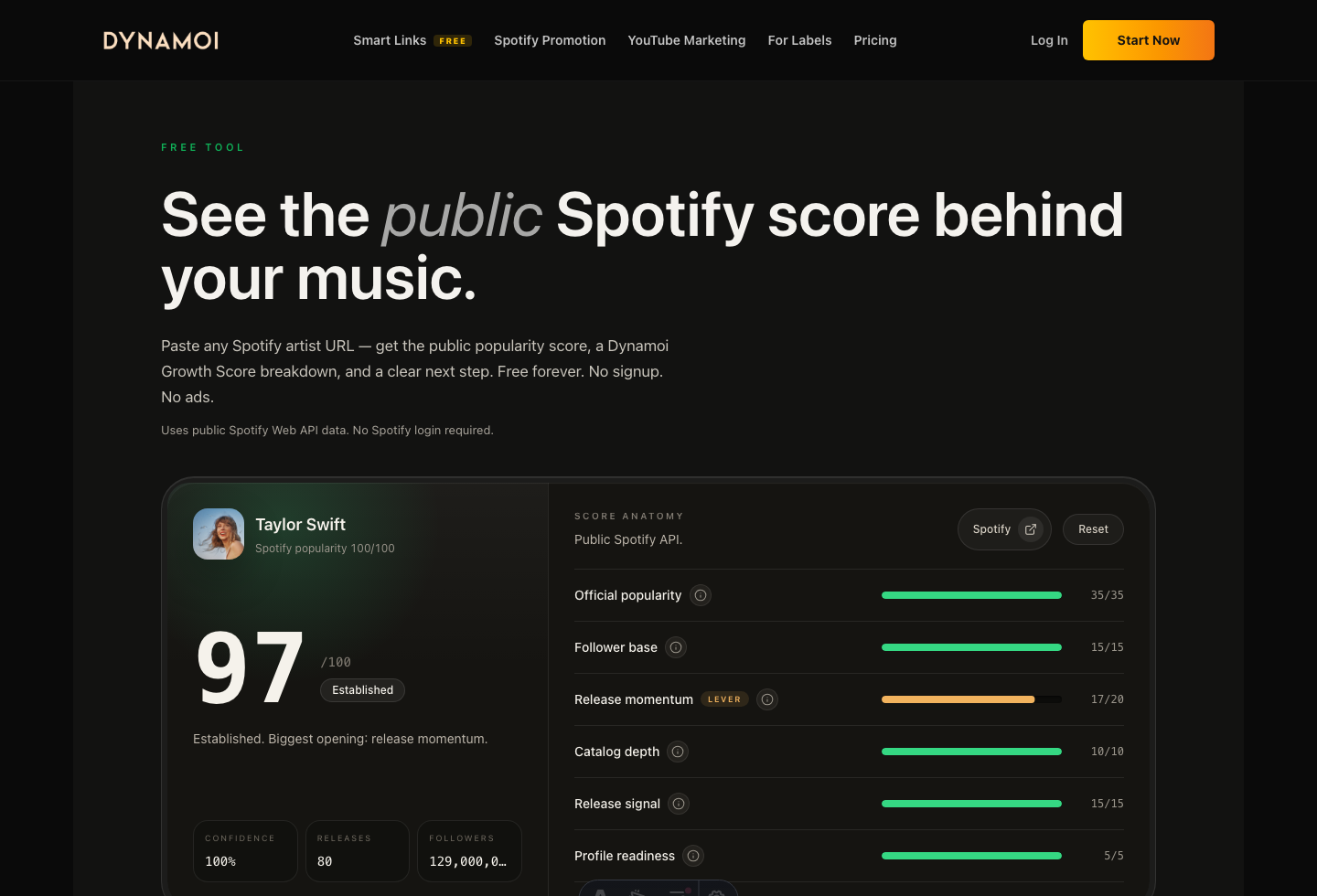
Open the tool
Use Spotify Growth Audit. Search by artist name or paste a supported Spotify artist, album, or track URL, URI, or share link. Select the resolved artist before running the audit when a search returns multiple matches.
What the audit can evaluate
The base audit uses available public Spotify signals such as:
- Artist popularity and follower scale
- Release recency and release consistency
- Catalog depth
- Track-popularity distribution
- Whether the public catalog provides enough evidence for a useful next step
When public market data resolves, the result can add monthly-listener trend, playlist reach, chart or radio context, upcoming events, top markets and cities, and peer-artist context. The page must fall back to Spotify-only evidence when those extra sources are unavailable rather than inventing missing values.
How to interpret the result
The score and recommendations are directional planning aids. They are not a forecast or guarantee of campaign performance. Use the findings to decide whether the next action should be a catalog refresh, free Smart Links, a Smart Campaign, or additional release preparation.
The audit can also begin the handoff into an artist workspace. Paid advertising still requires the connections, billing state, content, budget, and provider approval described in the campaign docs.
Public examples and privacy
Documentation can use a well-known public artist to demonstrate the public tool because the result is based on public data. Authenticated dashboard examples should use fictional or authorized artist data and must not expose a client's private records.
Next steps
- Create or refresh free Smart Links
- Connect the correct Spotify artist in Platform Connections
- Read How Smart Campaigns Work
- Compare public market context in Dynamoi Data