
Campaign Management
Pausing Campaigns
Request a campaign pause, understand provider and reporting delay, and resume eligible campaigns without losing historical analytics.
Pausing requests that an eligible campaign stop delivery. The Dynamoi lifecycle state can update before the provider and reporting feeds fully settle.
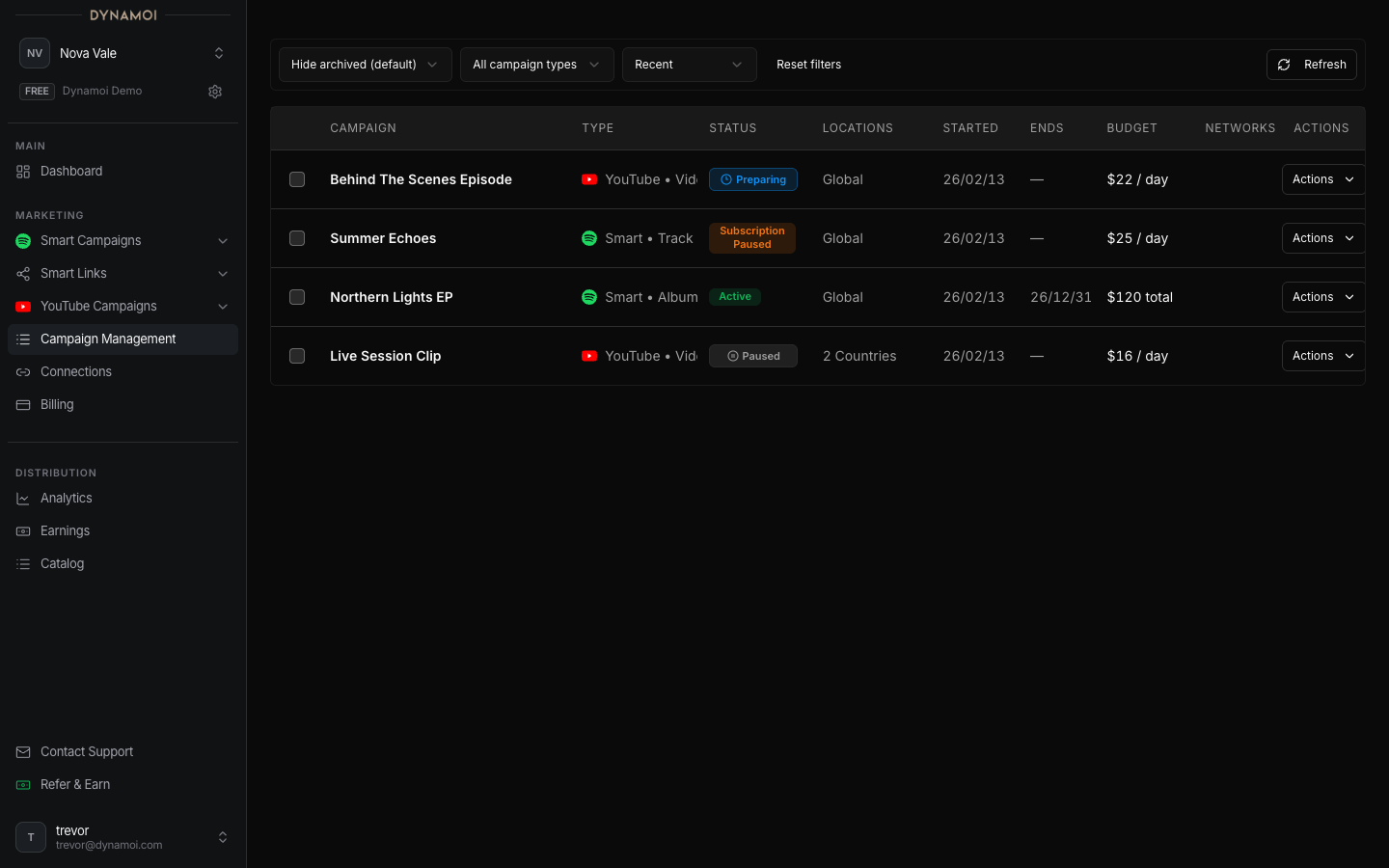
Pause an eligible campaign
Open All Campaigns Select All Campaigns in the dashboard navigation.
Open the actions menu Find an Active campaign and open its actions menu.
Request the pause Select
Pause campaignand wait for the provider mutation or queued job to finish.
A pause is not guaranteed to be instantaneous. Provider state, reporting, and attributed events can continue to settle after the request. Historical analytics and prior spend remain available.
When Pause is unavailable
The action can be hidden or blocked when:
- The campaign is not Active
- Meta is in a review/processing state that blocks mutation
- Google provider status is unknown or unspecified
- The campaign is a shop-linked analytics-only campaign
- A fixed-flight status job is already queued
- The account role does not allow mutations
Self-serve Maximize Views campaigns use a fixed-flight delivery queue for supported pause requests. Other fixed-flight campaigns remain support-controlled, and edits are locked.
Resume a campaign
A normal Paused campaign can expose Resume campaign. Resuming requires current billing authority, complete provider identity, an eligible provider state, and no conflicting safety repair.
Warning A successful payment recovery does not automatically restart delivery. A campaign that was Subscription paused first returns to Paused; resume it explicitly when the action becomes available.
For self-serve fixed-flight YouTube campaigns, the current resume path can remain blocked by the fixed-flight safety boundary even when the menu is visible. Follow the error shown in the dashboard rather than assuming a queued resume completed.