
Campaign Management
Troubleshooting Campaign Statuses
Interpret Preparing, review, deployment, billing, provider, and issue states and take the correct next action.
Use All Campaigns to compare the Dynamoi lifecycle status with any provider-delivery detail before retrying an action.
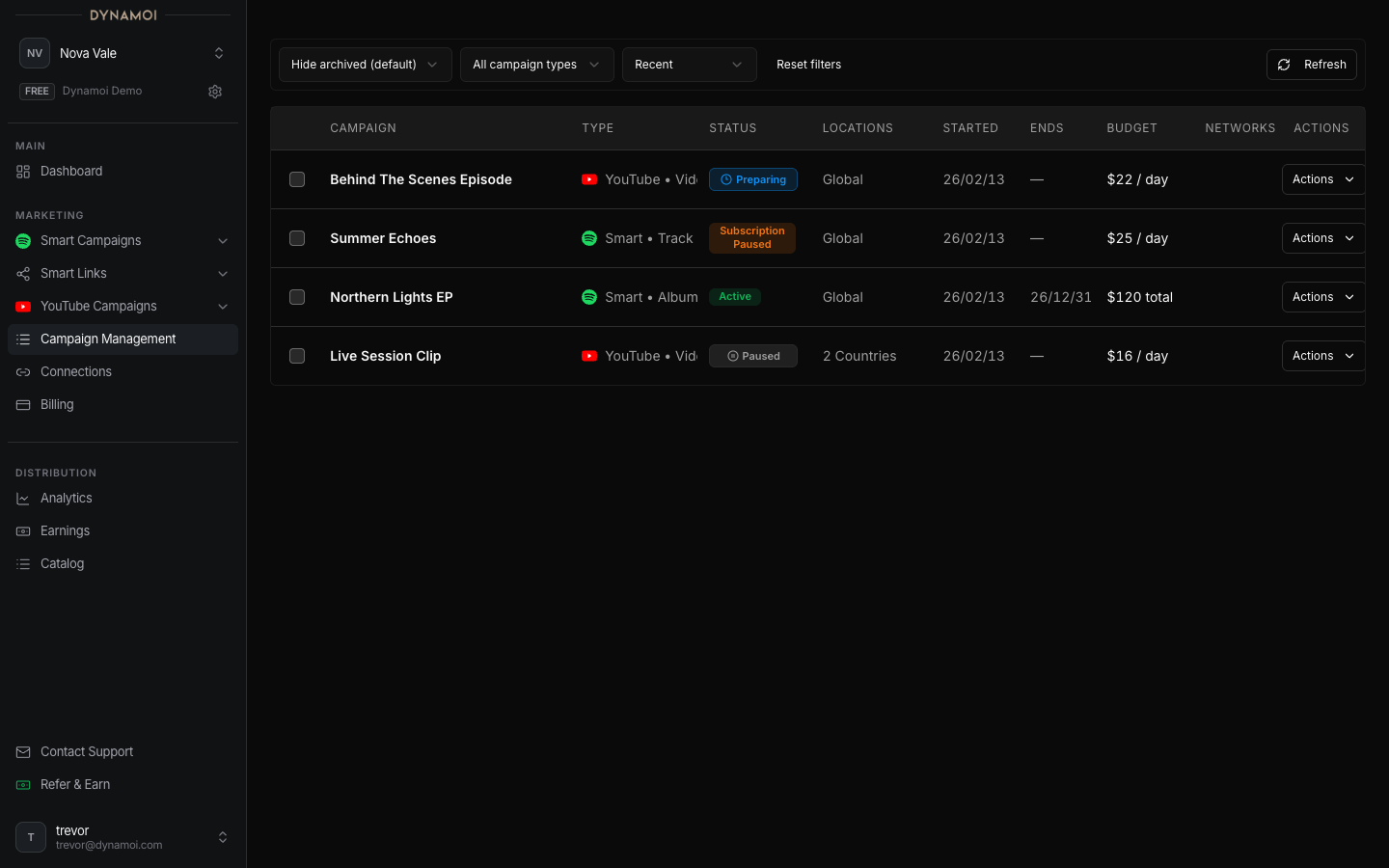
Preparing
Dynamoi is waiting for or reconciling required setup, such as Smart Link data. Confirm the campaign's prerequisites and avoid creating a duplicate while the original operation is still progressing.
In review or Under review
Content or provider resources are being reviewed or processed. Meta review states and some Google pending states intentionally block mutations. Wait for the provider state to settle unless the page exposes a remediation action.
Deploying
Dynamoi is creating or reconciling provider resources. Deployment is asynchronous and can include retries. If the state does not change and the actions menu shows an Issue or retry failure, capture the campaign name and visible error for support.
Active but not serving
Active is Dynamoi's lifecycle state. The provider detail can still show Under review, Running, Serving, Paused, or Issue. Use the provider badge and analytics freshness indicators instead of treating Active alone as proof of spend.
Subscription paused
Billing authority is unhealthy. Open Account > Billing, resolve the payment or subscription problem, and wait for the campaign to return to Paused. Delivery restarts only after an explicit eligible resume.
Issue
An Issue can represent invalid content, provider policy, missing identity, deployment failure, or a reconciliation problem. Follow any inline remediation first. Do not repeatedly submit the same launch or mutation while a job is in flight.
Ended or Archived
Ended campaigns have completed their flight or lifecycle. Archived campaigns remain available for historical review and can be unarchived to Paused when eligible.
Note Provider reports, billing projections, and Dynamoi status do not update atomically. A short period of disagreement can be expected after launches, pauses, payments, and policy changes.