
Analytics
Campaign Compare
Compare 2 to 3 same-type campaigns side by side across spend, saves, views, subscribers, and revenue signals.
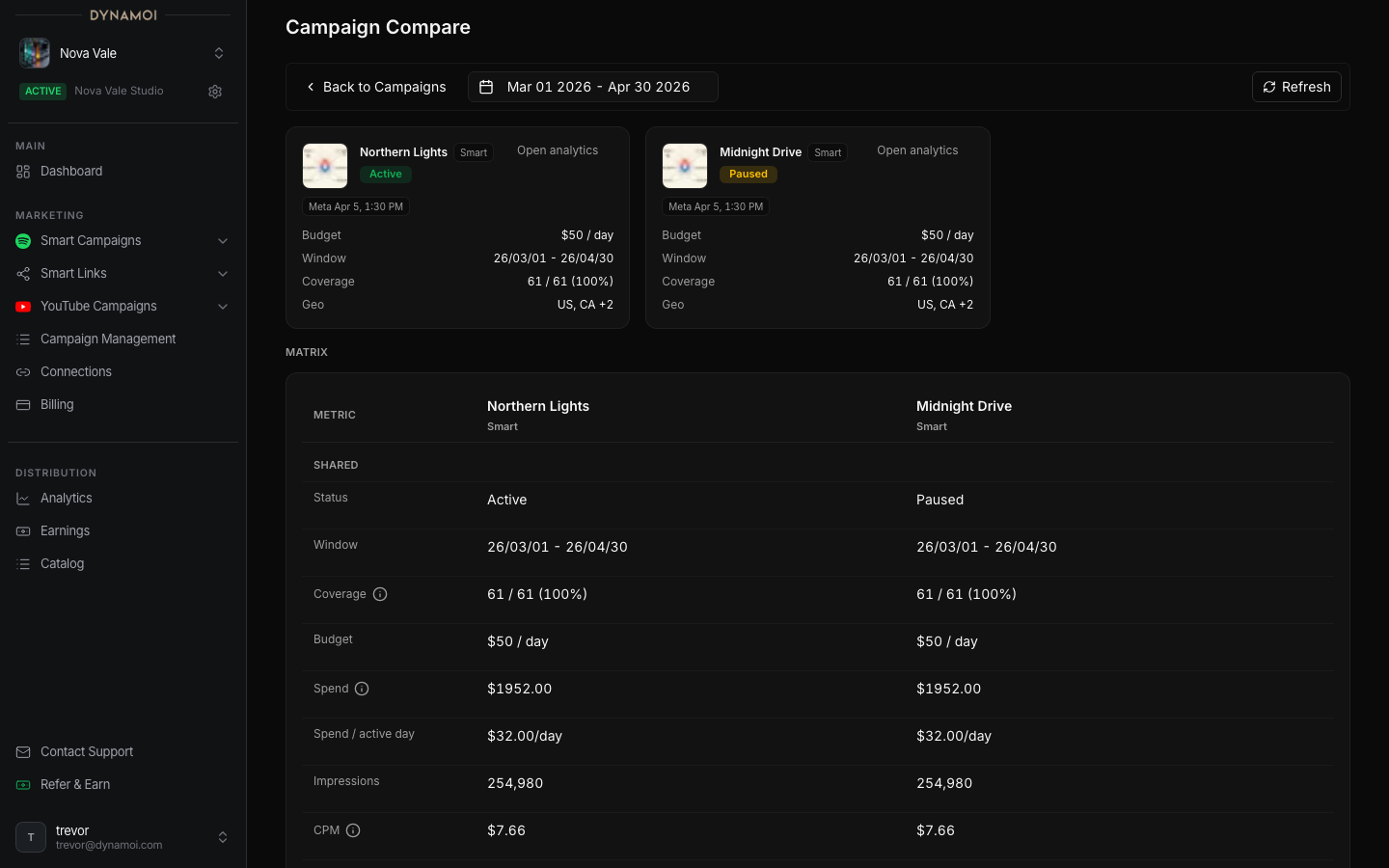
Campaign Compare lets you view 2 to 3 campaigns of the same type side by side: YouTube-to-YouTube or Smart-to-Smart. Use it when you need to understand which campaign, network, release, or video is producing the strongest music outcome.
Accessing Campaign Compare
Open Campaign Compare from Campaign Management: select 2 or 3 campaigns of the same type, then choose Compare. Data is scoped to the active artist. A mixed YouTube-and-Smart selection shows Same type only and does not compare.
What to compare
Campaign Compare is useful for questions like:
- Which Smart Campaign has the best cost per save?
- Which YouTube campaign is producing subscribers, not only views?
- Are recent campaigns improving after the learning phase?
- Which countries or audiences are worth repeating?
Reading the table
The table is built for directional decisions. Campaigns can differ by date range, budget, platform, and objective, so do not treat one column as the whole answer.
| Area | What to look for |
|---|---|
| Spend | How much budget each campaign has used |
| Delivery | Whether the campaign is active, paused, learning, or complete |
| Smart Campaign outcomes | Saves, save rate, link clicks, spend, and efficiency |
| YouTube outcomes | Views, subscribers, watch behavior, RPM, and AdSense metrics when connected |
| Trend | Whether the campaign is improving, flattening, or becoming less efficient |
Good comparison habits
Compare campaigns that share a similar goal within the same type. A catalog-growth Smart Campaign and a launch-week Smart Campaign can both be successful for different reasons, so read the columns as directional signals rather than a single verdict.
For tactical decisions, combine this page with Campaign Optimization, Smart Campaign Analytics, and YouTube Analytics.